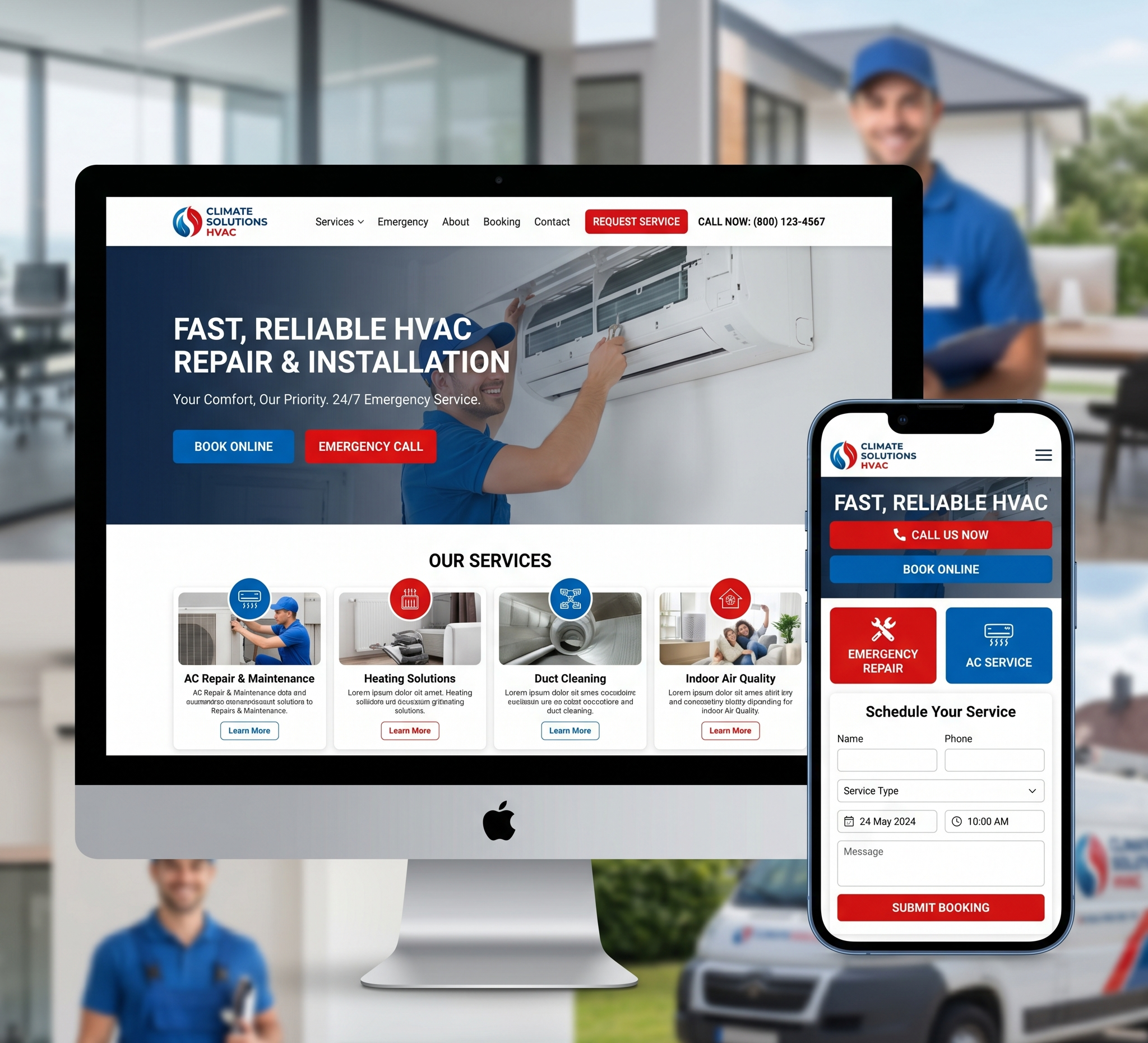

Website Design Software – In the digital age, a captivating online presence is crucial for businesses and individuals alike. Your website is often the first point of contact between you and your audience, making it essential to make a lasting impression. With the evolution of website design software, creating stunning websites has become more accessible than ever. In this comprehensive guide, we’ll delve into the world of website design software, exploring its types, features, benefits, and popular tools to help you unleash your creativity and build a website that stands out in the digital landscape.
Unleashing Creativity: A Comprehensive Guide to Website Design Software
Chapter 1: Understanding Website Design Software
Website design software encompasses a range of tools and platforms designed to facilitate the creation and maintenance of websites. These software solutions vary in complexity, functionality, and purpose, catering to the diverse needs of users, from beginners to seasoned professionals.
1.1 Types of Website Design Software
- Drag-and-Drop Builders: These user-friendly tools allow you to create websites by simply dragging and dropping elements onto a canvas. They often come with pre-designed templates and require minimal technical expertise.
- Content Management Systems (CMS): CMS platforms like WordPress, Joomla, and Drupal provide a framework for building and managing websites. They offer a wide range of customization options and are suitable for both beginners and advanced users.
- Code Editors: For those with coding skills, code editors such as Sublime Text, Visual Studio Code, and Atom provide a flexible environment for writing and editing HTML, CSS, and JavaScript code.
- Website Builders: These all-in-one platforms combine drag-and-drop functionality with customizable templates, hosting services, and domain registration, making them ideal for users looking for a complete website solution without the need for coding knowledge.
1.2 Key Features of Website Design Software
- Responsive Design: The software should enable you to create websites that adapt seamlessly to various screen sizes and devices, ensuring an optimal user experience across desktops, tablets, and smartphones.
- Customization Options: Look for software that offers a wide range of design elements, including fonts, colors, layouts, and animations, allowing you to tailor your website to your unique brand identity.
- SEO-Friendly Tools: Built-in SEO features such as meta tags, sitemaps, and friendly URLs help improve your website’s visibility and ranking in search engine results, driving organic traffic to your site.
- E-commerce Capabilities: If you plan to sell products or services online, choose software that supports e-commerce functionality, such as shopping cart integration, secure payment gateways, and inventory management.
- Analytics and Tracking: Access to analytics tools enables you to monitor website performance, track visitor behavior, and make data-driven decisions to optimize your site for better results.
Chapter 2: Advantages of Using Website Design Software
The use of website design software offers numerous benefits for individuals and businesses looking to establish a strong online presence and engage their target audience effectively.
2.1 Time and Cost Savings
- Website design software streamlines the development process, allowing you to create professional-looking websites in a fraction of the time it would take to build them from scratch.
- By eliminating the need for custom coding and hiring web developers, website design software helps reduce upfront costs, making it a cost-effective solution for budget-conscious users.
2.2 User-Friendly Interface
- Most website design software features intuitive interfaces and drag-and-drop functionality, making it accessible to users with varying levels of technical expertise.
- With built-in templates and design elements, you can quickly create visually appealing websites without the need for extensive design or coding skills.
2.3 Flexibility and Scalability
- Website design software offers flexibility in terms of design customization, allowing you to create unique websites tailored to your specific requirements and brand identity.
- As your business grows, website design software enables you to scale your website easily by adding new pages, features, and functionalities without disrupting the existing structure.
2.4 SEO Optimization
- Many website design software solutions come with built-in SEO tools and features, helping improve your website’s visibility and ranking in search engine results.
- By optimizing your site for search engines, you can attract more organic traffic and generate leads, ultimately boosting your online presence and revenue potential.
2.5 Responsive Design
- With the increasing use of mobile devices, responsive design is essential for ensuring a seamless user experience across different screen sizes and resolutions.
- Website design software simplifies the process of creating responsive websites, allowing you to preview and adjust your site’s layout and content for optimal display on desktops, tablets, and smartphones.
Chapter 3: Popular Website Design Software Tools
Now that we’ve explored the benefits of website design software, let’s take a closer look at some of the most popular tools available in the market today.
3.1 WordPress
- WordPress is a versatile CMS platform that powers millions of websites worldwide, from blogs and e-commerce stores to corporate websites and portfolios.
- With its extensive library of themes and plugins, WordPress offers unparalleled flexibility and customization options, allowing you to create virtually any type of website imaginable.
- Whether you’re a beginner or an experienced developer, WordPress provides a user-friendly interface and robust features for building and managing your website with ease.
3.2 Wix
- Wix is a popular website builder that caters to users of all skill levels, from beginners to advanced developers.
- With its drag-and-drop editor and customizable templates, Wix enables you to create stunning websites without any coding knowledge.
- From business websites and online stores to portfolios and blogs, Wix offers a range of features and tools to help you bring your vision to life and establish a strong online presence quickly and easily.
3.3 Shopify
- Shopify is a leading e-commerce platform designed specifically for building online stores and selling products or services.
- With its user-friendly interface and extensive features, Shopify simplifies the process of setting up an online store, managing inventory, processing payments, and optimizing sales.
- Whether you’re a small business owner or a large enterprise, Shopify provides scalable solutions to meet your e-commerce needs and drive growth.
3.4 Squarespace
- Squarespace is a popular website builder known for its sleek design templates and intuitive drag-and-drop editor.
- With Squarespace, you can create professional-looking websites for businesses, portfolios, blogs, and online stores without any coding experience.
- The platform offers integrated marketing tools, analytics, and e-commerce functionality, making it a comprehensive solution for building and managing your online presence.
3.5 Adobe Dreamweaver
- Adobe Dreamweaver is a powerful code editor and web development tool that caters to designers and developers alike.
- With its robust features and visual interface, Dreamweaver enables you to write, edit, and preview HTML, CSS, and JavaScript code in real-time.
- Whether you prefer coding by hand or using visual design tools, Dreamweaver provides the flexibility and control to create responsive websites tailored to your exact specifications.
Chapter 4: Tips for Choosing the Right Website Design Software
With so many website design software options available, selecting the right tool for your needs can be overwhelming. Here are some tips to help you make an informed decision:
4.1 Define Your Requirements
- Before choosing website design software, clearly define your requirements and objectives. Consider factors such as the type of website you want to create, your technical skills, budget, and desired features.
4.2 Consider Ease of Use
- Look for website design software that offers an intuitive interface and user-friendly features. If you’re a beginner, prioritize tools with drag-and-drop functionality and pre-designed templates to simplify the design process.
4.3 Assess Customization Options
- Evaluate the customization options offered by the website design software, including design elements, layout flexibility, and integration with third-party tools and services. Choose a platform that allows you to customize your website to reflect your unique brand identity and vision.
4.4 Review SEO and Marketing Features
- Check whether the website design software includes built-in SEO tools and features to optimize your site for search engines. Look for capabilities such as meta tags, XML sitemaps, and social media integration to enhance your website’s visibility and reach.
4.5 Consider Scalability and Support
- Choose website design software that can grow with your business and accommodate future expansion. Consider factors such as scalability, performance, and ongoing support and updates to ensure a seamless experience as your website evolves.
Chapter 5: Best Practices for Website Design
In addition to choosing the right website design software, following best practices can help you create websites that are visually appealing, user-friendly, and optimized for success.
5.1 Focus on User Experience (UX)
- Prioritize user experience by designing websites that are intuitive, easy to navigate, and accessible across devices. Consider factors such as site speed, mobile responsiveness, and clear calls to action to enhance the overall user experience.
5.2 Optimize for Mobile Devices
- With the increasing use of smartphones and tablets, it’s essential to optimize your website for mobile devices. Ensure that your site is responsive and mobile-friendly, with content and design elements that adapt seamlessly to smaller screens.
5.3 Create Engaging Content
- Content is king when it comes to attracting and retaining visitors to your website. Create high-quality, relevant content that engages your audience and provides value. Incorporate multimedia elements such as images, videos, and infographics to enhance the visual appeal of your site.
5.4 Prioritize Page Speed
- Page speed plays a crucial role in user experience and search engine rankings. Optimize your website for speed by minimizing file sizes, leveraging browser caching, and using a content delivery network (CDN) to deliver content quickly to users around the world.
5.5 Test and Iterate
- Regularly test your website across different browsers, devices, and screen sizes to identify any issues or inconsistencies. Collect feedback from users and analytics data to make data-driven improvements and optimizations over time.
Conclusion:
Website design software has revolutionized the way we create and manage websites, empowering individuals and businesses to build professional-looking sites with ease. Whether you’re a beginner looking to establish an online presence or a seasoned developer seeking advanced customization options, there’s a website design software solution to meet your needs. By understanding the types, features, and benefits of website design software and following best practices for website design, you can unleash your creativity and build websites that captivate and inspire your audience in the digital age.