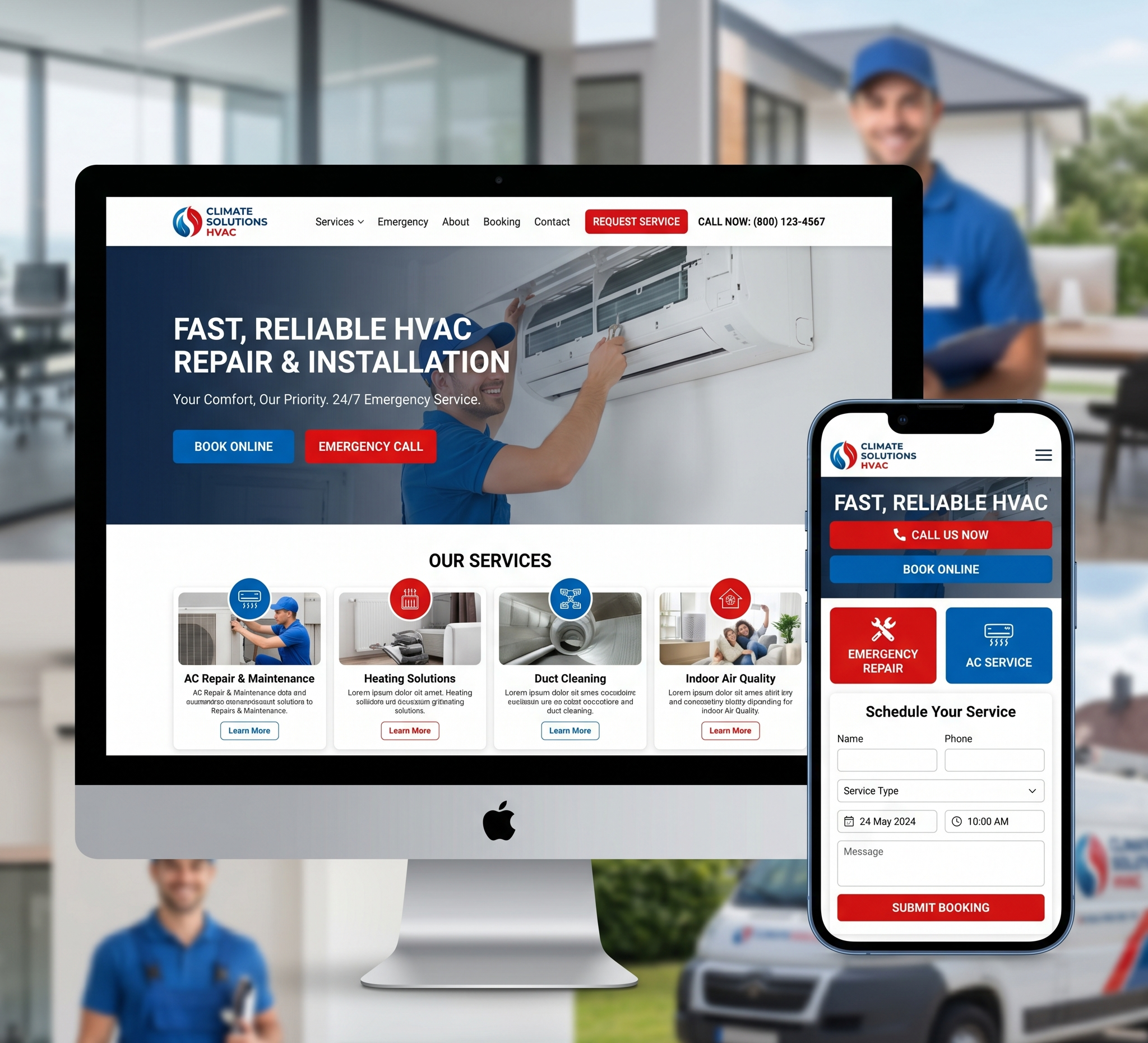

The Power of Customizable Website Builders – In the digital age, having a strong online presence is essential for individuals, businesses, and organizations alike. Your website serves as your digital storefront, representing your brand, personality, and message to the world. However, not everyone possesses the technical expertise to design and develop a website from scratch. This is where customizable website builders step in to empower individuals and businesses to create their online identity without the need for extensive coding knowledge.
The Power of Customizable Website Builders: Crafting Your Digital Identity
In this comprehensive guide, we will delve deep into the world of customizable website builders, exploring what they are, why they are essential, and how you can leverage them to create a unique and effective online presence. Whether you’re a small business owner, a budding blogger, or an aspiring e-commerce mogul, this article will equip you with the knowledge to make an informed decision about which customizable website builder suits your needs.
Power of Customizable Website Builders
Table of Contents Customizable Website Builders
1. Understanding Customizable Website Builders
1.1 What is a Website Builder?
1.2 The Evolution of Website Builders
1.3 Types of Website Builders
1.4 Advantages of Customizable Website Builders
1.5 Key Features to Look for
2. The Importance of a Strong Online Presence
2.1 Building Trust and Credibility
2.2 Expanding Your Reach
2.3 Competing in the Digital Landscape
2.4 Flexibility and Adaptability
3. Choosing the Right Customizable Website Builder
3.1 Wix
3.2 Squarespace
3.3 WordPress
3.4 Shopify
3.5 Weebly
3.6 Comparing the Top Website Builders
4. Getting Started: Building Your Website
4.1 Selecting a Domain Name
4.2 Choosing a Template
4.3 Customizing Your Design
4.4 Adding Content
4.5 Optimizing for SEO
4.6 Integrating E-commerce Functionality (if applicable)
5. Advanced Customization Options
5.1 CSS and HTML Editing
5.2 Third-Party Plugins and Extensions
5.3 Mobile Responsiveness
5.4 Integrating Social Media
5.5 A/B Testing and Analytics
6. Tips for Creating a Unique Website
6.1 Branding and Visual Identity
6.2 Compelling Content
6.3 User Experience (UX) Design
6.4 Regular Updates and Maintenance
6.5 Security Measures
7. Promoting and Growing Your Website
7.1 Content Marketing
7.2 Search Engine Optimization (SEO)
7.3 Email Marketing
7.4 Social Media Marketing
7.5 Paid Advertising
8. Measuring Success and Making Improvements
8.1 Analyzing Website Analytics
8.2 Gathering User Feedback
8.3 Iterative Design and Development
9. Scaling Your Online Presence
9.1 Expanding Your Website
9.2 Multilingual and Internationalization
9.3 Handling Increased Traffic
10. Conclusion: Empowering Your Digital Journey
1. Understanding Customizable Website Builders
1.1 What is a Website Builder?
A website builder is a software or online platform that allows individuals and businesses to create and design websites without the need for extensive coding or programming knowledge. It provides a user-friendly interface with pre-designed templates, drag-and-drop functionality, and a variety of customization options, making it accessible to users with varying levels of technical expertise.
Website builders have democratized the process of website creation, enabling anyone with an internet connection to establish an online presence. They have come a long way since their inception, evolving to offer more features, flexibility, and customization options.
1.2 The Evolution of Website Builders
The concept of website builders can be traced back to the early 2000s when platforms like Geocities and Tripod allowed users to create basic websites using predefined templates. These early website builders were limited in functionality and design options, often resulting in websites that looked generic and lacked personalization.
However, as technology advanced and the demand for user-friendly website creation tools grew, website builders underwent a significant transformation. Modern website builders offer a plethora of features, including:
Responsive Design:
Templates are designed to adapt to various screen sizes, ensuring a seamless user experience on desktops, tablets, and smartphones.
E-commerce Integration:
Many website builders now support online stores, making it easy for businesses to sell products and services directly from their websites.
Customization:
Users can personalize templates by changing colors, fonts, and layouts, and adding their own images and content.
SEO Tools:
Website builders often include built-in SEO tools to help improve search engine rankings.
Third-party Integrations:
Integration with third-party apps and services enables users to add functionalities like email marketing, analytics, and social media sharing.
Blogging Capabilities:
Website builders like WordPress offer robust blogging features, making them ideal for bloggers and content creators.
1.3 Types of Website Builders
Website builders can be categorized into three main types:
Drag-and-Drop Website Builders:
These builders provide an intuitive interface where users can select elements (such as text boxes, images, and buttons) and drag them onto the page. Wix and Weebly are examples of drag-and-drop builders.
Content Management System (CMS) Website Builders:
CMS-based builders, like WordPress and Joomla, offer greater flexibility and are ideal for content-heavy websites and blogs. They require slightly more technical knowledge but provide extensive customization options.
E-commerce Website Builders:
Platforms like Shopify and BigCommerce are tailored for online stores. They offer features like inventory management, secure payment processing, and order tracking.
1.4 Advantages of Customizable Website Builders
Customizable website builders offer numerous benefits, making them a popular choice for individuals and businesses:
Ease of Use:
You don’t need to be a coding expert to build a website. The user-friendly interfaces, drag-and-drop functionality, and templates make the process accessible to everyone.
Cost-Efficiency:
Website builders often come with affordable pricing plans, especially when compared to hiring a professional web developer. Many even offer free plans with basic features.
Speed:
Building a website with a website builder is significantly faster than developing one from scratch. You can have a functional site up and running in a matter of hours or days.
Design Options:
Website builders provide a wide range of professionally designed templates that you can customize to match your brand and style.
No Software Installation:
Since website builders are typically cloud-based, you can access and edit your website from any device with an internet connection.
Maintenance and Updates:
Website builders handle essential maintenance tasks like hosting, security, and software updates, relieving you of technical responsibilities.
Scalability:
Many website builders allow you to start small and expand as your needs grow. You can add more pages, features, or even an online store when necessary.
1.5 Key Features to Look For
When choosing a customizable website builder, consider the following key features:
Templates:
A diverse selection of templates catering to different industries and styles is essential. Ensure that the templates are mobile-responsive and visually appealing.
Customization Options:
Look for builders that offer extensive customization options, allowing you to tweak fonts, colors, layouts, and more.
E-commerce Support:
If you plan to sell products online, ensure that the website builder supports e-commerce features, including shopping carts, payment gateways, and inventory management.
SEO Tools:
Built-in SEO features help improve your website’s visibility on search engines. Look for tools that offer keyword optimization, meta tags, and sitemaps.
Integration Options:
Check if the website builder allows integration with third-party tools and services, such as email marketing platforms, analytics, and social media.
Scalability:
Ensure that the builder can accommodate your future growth. It should allow you to expand your website and add new features easily.
2. The Importance of a Strong Online Presence
2.1 Building Trust and Credibility
In today’s digital-centric world, a well-designed and professional website is often the first point of contact between a business or individual and potential customers or audiences. A polished and informative website conveys credibility and trustworthiness, which are crucial for building strong relationships with visitors.
When visitors encounter an outdated or poorly designed website, they may question the legitimacy of the entity behind it. On the other hand, a visually appealing and user-friendly website can instill confidence and encourage visitors to engage with your content or make a purchase.
2.2 Expanding Your Reach
A website acts as a 24/7 online ambassador for your brand or personal identity. Unlike physical storefronts or offices with limited operating hours, your website is accessible to a global audience at all times. This round-the-clock availability enables you to reach people in different time zones, potentially expanding your reach and customer base.
Furthermore, with the rise of social media and online communities, your website can serve as a hub where you direct visitors from various platforms. This centralized online presence allows you to control your brand narrative and provide a consistent experience to your audience.
2.3 Competing in the Digital Landscape
In most industries, the digital landscape is highly competitive. Your competitors are likely investing in their online presence, and without a strong website, you risk falling behind. A well-optimized website can give you a competitive edge by helping you stand out in search engine results, showcasing your unique offerings, and engaging visitors with valuable content.
Additionally, a website allows you to keep pace with industry trends and adapt to changes in consumer behavior. You can use analytics and user feedback to refine your online strategy, ensuring that you remain relevant and competitive.
2.4 Flexibility and Adaptability
In times of change or unforeseen circumstances, having a flexible online presence is invaluable. Consider the example of the COVID-19 pandemic, which forced many businesses to adapt quickly to digital channels. Those with established websites were better equipped to pivot their operations, offer online services, and communicate vital information to their customers.
Your website can serve as a dynamic platform that evolves with your needs. Whether you’re launching a new product, promoting an event, or updating your business hours, your website can be adapted swiftly to reflect these changes. This agility is essential in an ever-evolving digital landscape.
3. Choosing the Right Customizable Website Builder
Selecting the right customizable website builder is a critical decision that will impact your online presence. While there are numerous website builders available, we’ll explore some of the most popular options to help you make an informed choice.
3.1 Wix
Wix is a widely recognized and user-friendly website builder known for its drag-and-drop functionality. It offers a vast library of templates suitable for various industries, from e-commerce and photography to portfolios and blogs.
Key Features of Wix:
Template Variety: Wix boasts an extensive collection of templates, each of which is fully customizable.
App Market: Wix’s App Market allows you to enhance your website’s functionality with a range of third-party apps.
E-commerce: Wix offers e-commerce capabilities, making it suitable for businesses looking to sell products online.
Artificial Design Intelligence (ADI): Wix ADI can create a personalized website for you based on your preferences and needs.
Mobile Editor: You can fine-tune the mobile version of your website for a seamless user experience on smartphones and tablets.
3.2 Squarespace
Squarespace is known for its stunning and artistically designed templates, making it an ideal choice for creatives, artists, and photographers. It offers an intuitive interface and comprehensive customization options.
Key Features of Squarespace:
Design Aesthetics: Squarespace’s templates are renowned for their visual appeal and creative design.
Blogging: It provides robust blogging tools, making it suitable for bloggers and content creators.
E-commerce: Squarespace offers e-commerce functionality with features like inventory management and secure payments.
Built-in SEO Tools: Squarespace includes SEO-friendly features to help improve your website’s search engine ranking.
Responsive Design: All Squarespace templates are mobile-responsive, ensuring a seamless experience on various devices.
3.3 WordPress
WordPress is a powerful content management system (CMS) that can be used to build websites, blogs, and even online stores. It’s highly customizable and popular among both beginners and experienced users.
Key Features of WordPress:
Flexibility: WordPress offers unparalleled flexibility, allowing you to create virtually any type of website.
Plugin Ecosystem: The WordPress plugin ecosystem provides access to thousands of extensions for added functionality.
Blogging: It started as a blogging platform and remains an excellent choice for bloggers.
SEO Optimization: Numerous SEO plugins are available to enhance your website’s search engine visibility.
Community Support: A large and active community means you can find answers to most questions online.
3.4 Shopify
Shopify is a specialized e-commerce website builder designed for businesses looking to establish online stores. It’s known for its user-friendly interface and comprehensive e-commerce features.
Key Features of Shopify:
E-commerce Focus: Shopify is dedicated to e-commerce, providing features like inventory management, order processing, and secure payments.
App Store: The Shopify App Store offers a wide range of apps to extend your online store’s capabilities.
Mobile Responsiveness: Shopify ensures that your online store looks great on mobile devices.
Security: It prioritizes security, making it a trusted choice for online businesses.
Scalability: Shopify can grow with your business, accommodating more products and customers as you expand.
3.5 Weebly
Weebly is a straightforward website builder that emphasizes simplicity and ease of use. It’s an excellent choice for individuals and small businesses looking to create a basic website quickly.
Key Features of Weebly:
Drag-and-Drop Builder: Weebly’s drag-and-drop builder is user-friendly and suitable for beginners.
Templates: It offers a selection of responsive templates for various purposes.
E-commerce: Weebly provides e-commerce functionality with features like product listings and shopping carts.
SEO Tools: Basic SEO tools help improve your website’s visibility.
Affordable Pricing: Weebly offers competitive pricing plans, including a free option.
3.6 Comparing the Top Website Builders
Choosing the right website builder depends on your specific needs and goals. Here’s a quick comparison to help you make a decision:
Wix: Ideal for users who want a user-friendly platform with extensive customization options and e-commerce functionality. It suits a wide range of website types.
Squarespace: Perfect for creatives, artists, and those who value aesthetically pleasing designs. It’s also great for bloggers and offers e-commerce capabilities.
WordPress: Highly flexible and versatile, making it suitable for any website type. It’s particularly powerful for content-heavy sites and blogs.
Shopify: Tailored for online stores, offering comprehensive e-commerce features. It’s an excellent choice for businesses focused on selling products.
Weebly: Simple and easy to use, making it a good choice for beginners and small businesses looking for a basic website or online store.
Before making your final decision, consider your website’s specific requirements, budget, and your own comfort level with technology. Each website builder has its strengths, so choose the one that aligns best with your goals.
4. Getting Started: Building Your Website
Now that you’ve chosen a website builder, let’s dive into the steps for creating your website.
4.1 Selecting a Domain Name
Your domain name is your website’s address on the internet (e.g., www.yourwebsite.com). It’s crucial to choose a domain name that reflects your brand or identity and is easy for visitors to remember. Most website builders offer domain registration services, allowing you to purchase and manage your domain directly through their platform.
When selecting a domain name:
- Keep it short and memorable.
- Avoid special characters and hyphens.
- Use keywords related to your content or business.
- Check for domain name availability to ensure it’s unique.
4.2 Choosing a Template
The template you choose will serve as the foundation for your website’s design. Website builders typically offer a wide range of templates, each catering to different industries and styles. Here are some tips for selecting the right template:
Match Your Brand: Choose a template that aligns with your brand colors, fonts, and overall style.
Consider Functionality: If you plan to run a blog or an online store, select a template with the necessary features and layouts.
Mobile Responsiveness: Ensure that the template is mobile-responsive to provide a seamless experience on all devices.
Customization: Remember that templates are starting points. You can customize them extensively to make your website unique.
4.3 Customizing Your Design
Once you’ve chosen a template, it’s time to customize it to fit your brand and vision. Website builders typically provide intuitive customization options, including:
Color and Font Selection: Modify colors and fonts to match your brand’s visual identity.
Logo and Images: Upload your logo and images to personalize the template.
Layout Adjustments: Rearrange sections, add or remove elements, and customize the layout.
Header and Footer: Customize the header and footer to include essential information and navigation links.
Backgrounds and Animations: Enhance the visual appeal with background images or animations.
Take your time with this step, as the design plays a significant role in conveying your brand’s personality and message.
4.4 Adding Content
Content is the heart of your website. Depending on your goals, you may need to create various types of content, including:
Text: Write compelling and informative text for your pages. Ensure that it’s well-structured with headings, paragraphs, and bullet points.
Images: Use high-quality images and graphics that complement your content and engage visitors.
Videos: Incorporate videos to showcase products, services, or informative content.
Blog Posts: If you plan to blog, start creating and publishing posts on topics relevant to your audience.
Product Listings: For e-commerce websites, add detailed product listings with images, descriptions, prices, and product variants.
Contact Information: Make it easy for visitors to reach you by including a contact page with a contact form or email address.
Remember to optimize your content for both readability and search engines. Use relevant keywords, meta tags, and alt text for images to improve your website’s SEO.
4.5 Optimizing for SEO
Search engine optimization (SEO) is crucial for improving your website’s visibility on search engines like Google. Website builders often provide built-in SEO tools and features, but it’s essential to understand the basics of SEO:
Keyword Research: Identify relevant keywords that your target audience might use to find your content. Use these keywords naturally in your content.
Meta Tags: Craft compelling meta titles and descriptions for each page, including relevant keywords.
Alt Text: Add descriptive alt text to images to improve accessibility and SEO.
Content Quality: Produce high-quality, valuable content that addresses the needs and interests of your audience.
Mobile Optimization: Ensure that your website is mobile-responsive, as mobile-friendliness is a ranking factor.
Site Speed: Optimize images and minimize unnecessary elements to improve page loading times.
Sitemap Submission: Submit your website’s sitemap to search engines to facilitate indexing.
SEO is an ongoing process, so regularly monitor your website’s performance and make improvements as needed.
4.6 Integrating E-commerce Functionality (if applicable)
If you plan to sell products or services online, you’ll need to set up e-commerce functionality on your website. Depending on your website builder, this process may involve:
Product Listings: Create detailed product listings, including images, descriptions, prices, and inventory management.
Shopping Cart: Set up a shopping cart system that allows visitors to add products, review their selections, and complete purchases.
Payment Gateways: Integrate secure payment gateways to process transactions.
Shipping Options: Configure shipping options, including rates and delivery methods.
Tax Settings: Set up tax rates based on your location and the locations where you sell products.
Security: Ensure that your e-commerce platform is secure to protect customer data and transactions.
SSL Certificate: Enable SSL (Secure Sockets Layer) encryption to secure data transmission between your website and visitors.
E-commerce website builders like Shopify and WooCommerce (a WordPress plugin) are designed specifically for online stores and provide comprehensive e-commerce features.
5. Advanced Customization Options
While website builders offer user-friendly customization options, you may want to explore more advanced features to create a truly unique website.
5.1 CSS and HTML Editing
Some website builders allow you to access and edit the CSS (Cascading Style Sheets) and HTML (Hypertext Markup Language) code of your website. This advanced customization option gives you greater control over the design and functionality of your site.
With CSS, you can:
- Adjust the styling of individual elements, such as text, images, and buttons.
- Create custom animations and transitions.
- Implement responsive design changes for specific screen sizes.
HTML editing allows you to:
- Add custom code snippets for unique features or integrations.
- Customize the structure of your web pages.
While CSS and HTML editing provide extensive customization possibilities, it’s essential to have some coding knowledge and be cautious when making changes to avoid unintended issues.
5.2 Third-Party Plugins and Extensions
Most website builders offer an ecosystem of third-party plugins or extensions that extend your website’s functionality. These plugins can add features like contact forms, social media integration, e-commerce capabilities, and more.
Before installing plugins, consider the following:
Relevance: Ensure that the plugin addresses a specific need or feature gap on your website.
Quality: Choose reputable plugins with positive reviews and regular updates.
Compatibility: Verify that the plugin is compatible with your website builder and version.
Security: Only install plugins from trusted sources to avoid security risks.
Plugins can enhance your website’s capabilities without extensive coding or development work.
5.3 Mobile Responsiveness
Mobile responsiveness is a critical aspect of website design, as an increasing number of users access websites on smartphones and tablets. Most website builders automatically generate mobile-responsive versions of your site, but it’s essential to test and optimize these versions to ensure a seamless mobile experience.
During the mobile optimization process:
- Verify that the text is readable without zooming.
- Ensure that buttons and links are easy to tap.
- Optimize images for faster mobile loading.
- Consider the mobile layout of elements like menus and forms.
Testing your website on different mobile devices and screen sizes can help you identify and address any mobile responsiveness issues.
5.4 Integrating Social Media
Integrating social media into your website can enhance your online presence and engagement with your audience. Consider these integration options:
Social Sharing Buttons: Add social sharing buttons to your blog posts and content, making it easy for visitors to share your content on their social media profiles.
Social Media Feeds: Embed social media feeds (e.g., Instagram, Twitter) on your website to showcase your latest posts and updates.
Follow Buttons: Include follow buttons that link to your social media profiles, encouraging visitors to connect with you.
Social Login: Allow users to log in or register using their social media accounts, simplifying the registration process.
By seamlessly integrating social media, you can expand your online reach and foster a sense of community around your brand or content.
5.5 A/B Testing and Analytics
To continuously improve your website’s performance and user experience, consider implementing A/B testing and analytics tools. These tools help you gather data and insights about your visitors’ behavior and preferences.
A/B testing involves creating two or more versions of a webpage with slight variations (e.g., different headlines, and call-to-action buttons) and measuring which version performs better. This data-driven approach allows you to make informed decisions about optimizing your website for conversions, user engagement, or other goals.
Most website builders offer built-in analytics or allow you to integrate third-party analytics tools like Google Analytics. Key metrics to monitor include:
Traffic Sources: Understand where your visitors come from, whether it’s organic search, social media, referrals, or direct visits.
User Behavior: Track user interactions, such as page views, click-through rates, and bounce rates, to identify areas for improvement.
Conversion Rates: Measure the effectiveness of your website in achieving specific goals, such as form submissions or product purchases.
Audience Demographics: Gain insights into your audience’s age, gender, location, and interests.
A/B testing and analytics empower you to make data-driven decisions and refine your website’s design and content to better meet your objectives.
6. Tips for Creating a Unique Website
Creating a unique website that stands out from the competition is essential for capturing your audience’s attention and leaving a lasting impression. Here are some tips to help you achieve that uniqueness:
6.1 Branding and Visual Identity
Your website should reflect your brand’s identity consistently. Consider the following branding elements:
Logo: Use a professionally designed logo that represents your brand.
Color Palette: Choose a color scheme that aligns with your brand’s personality and values. Use these colors consistently throughout your website.
Typography: Select fonts that convey the tone of your brand. Use a limited number of fonts for a cohesive look.
Visual Elements: Incorporate visual elements like icons, graphics, or illustrations that reinforce your brand’s message.
6.2 Compelling Content
High-quality content is the cornerstone of an engaging website. Ensure that your content is:
Informative: Provide valuable information that addresses your audience’s needs or questions.
Engaging: Use storytelling techniques, visuals, and multimedia elements to captivate your audience.
Well-Structured: Organize your content with clear headings, subheadings, and bullet points for readability.
Consistent: Maintain a consistent tone and style throughout your content.
Regularly Updated: Keep your content fresh and up-to-date to demonstrate your commitment to your audience.
6.3 User Experience (UX) Design
User experience design focuses on creating a seamless and enjoyable experience for website visitors. Consider the following UX principles:
Intuitive Navigation: Ensure that visitors can easily find information and navigate your website.
Fast Loading Times: Optimize your website for speed to prevent user frustration.
Mobile Responsiveness: Prioritize mobile-friendly design to accommodate users on various devices.
Clear Calls to Action (CTAs): Use persuasive CTAs to guide visitors toward desired actions, such as signing up or making a purchase.
Accessibility: Make your website accessible to individuals with disabilities by following accessibility guidelines.
Testing: Conduct user testing to gather feedback and identify areas for improvement.
6.4 Regular Updates and Maintenance
A neglected website can quickly become outdated and lose its appeal. Regularly update and maintain your website by:
Checking for Broken Links: Periodically scan your site for broken links and fix them.
Software Updates: Keep your website builder, plugins, and themes up to date to ensure security and performance.
Content Refresh: Review and update outdated content to keep it relevant.
Security Measures: Implement security practices, such as regular backups and security plugin installation, to protect your site from threats.
Performance Optimization: Periodically optimize your website’s performance by compressing images and cleaning up unnecessary elements.
Monitoring Analytics: Continuously monitor website analytics to track your site’s performance and make informed decisions for improvement.
By maintaining your website, you ensure that it remains a valuable and engaging resource for your audience.
6.5 Security Measures
Website security is paramount to protect both your data and your visitors’ information. Implement these security measures:
Use HTTPS: Enable SSL encryption (HTTPS) to secure data transmission between your website and visitors.
Strong Passwords: Use complex passwords for your website admin accounts and encourage users to do the same.
Firewalls: Install a web application firewall (WAF) to protect against common web threats.
Regular Backups: Create automated backups of your website to ensure you can restore it in case of data loss.
Security Plugins: Install reputable security plugins to monitor and defend against threats.
User Permissions: Limit access to sensitive areas of your website by assigning appropriate user permissions.
Update Software: Keep your website builder, plugins, and themes updated to patch vulnerabilities.
Monitor Activity: Regularly review website logs for suspicious activity.
Prioritizing website security not only safeguards your data but also preserves the trust of your visitors.
7. Promoting and Growing Your Website
Once your website is live, you need to promote it effectively to attract visitors and achieve your goals. Here are some strategies to help you promote and grow your website:
7.1 Content Marketing
Content marketing involves creating and distributing valuable and relevant content to attract and engage your target audience. Effective content marketing strategies include:
Blogging: Consistently publish informative and engaging blog posts on topics relevant to your audience.
Guest Blogging: Write guest posts for other reputable websites in your industry to expand your reach.
Email Marketing: Build an email list and send newsletters with valuable content and updates.
Video Content: Create video content, such as tutorials, product demonstrations, or vlogs, to connect with a broader audience.
Infographics: Develop visually appealing infographics to convey complex information in an accessible way.
Social Media: Share your content on social media platforms to reach your audience where they are active.
7.2 Search Engine Optimization (SEO)
SEO is the practice of optimizing your website to rank higher on search engine results pages (SERPs). Key SEO strategies include:
Keyword Research: Identify relevant keywords and phrases to target in your content.
On-Page Optimization: Optimize meta titles, descriptions, headers, and content for your chosen keywords.
Link Building: Earn backlinks from authoritative websites to boost your website’s credibility.
Local SEO: Optimize your website for local searches if you have a physical location.
Technical SEO: Improve technical aspects of your website, including site speed and mobile-friendliness.
User Experience: Enhance user experience to reduce bounce rates and improve rankings.
Regular Updates: Keep your content fresh and regularly update older posts.
Analytics: Monitor your website’s performance using tools like Google Analytics to track your SEO efforts.
7.3 Email Marketing
Email marketing remains a powerful tool for engaging with your audience, nurturing leads, and driving conversions. Strategies for successful email marketing include:
Segmentation: Divide your email list into segments based on user behavior, preferences, or demographics to send targeted content.
Personalization: Address recipients by their names and tailor email content to their interests.
Automation: Use automation to send personalized emails at the right time, such as welcome emails, abandoned cart reminders, or follow-up messages.
A/B Testing: Experiment with different email subject lines, content, and CTAs to optimize email performance.
Analytics: Track open rates, click-through rates, and conversion rates to measure the effectiveness of your email campaigns.
Compliance: Ensure that your email marketing complies with applicable regulations, such as the CAN-SPAM Act.
7.4 Social Media Marketing
Social media is a valuable platform for building brand awareness, engaging with your audience, and driving traffic to your website. Implement these social media marketing strategies:
Consistency: Maintain an active and consistent presence on social media platforms that align with your audience’s preferences.
Content Sharing: Share your blog posts, videos, and other valuable content on social media to reach a broader audience.
Engagement: Respond to comments, messages, and mentions promptly to foster relationships with your followers.
Paid Advertising: Consider running targeted social media ad campaigns to reach a specific audience.
Analytics: Use social media analytics to measure the performance of your posts and adjust your strategy accordingly.
Community Building: Create or join online communities related to your niche to connect with like-minded individuals.
7.5 Paid Advertising
Paid advertising can drive immediate traffic to your website. Common paid advertising options include:
Search Engine Marketing (SEM): Run pay-per-click (PPC) ads on search engines like Google to appear at the top of search results for specific keywords.
Social Media Advertising: Use paid ads on platforms like Facebook, Instagram, or LinkedIn to reach your target audience based on demographics, interests, and behaviors.
Display Advertising: Display banner ads on relevant websites and platforms to increase brand visibility.
Remarketing: Target users who have previously visited your website with ads to encourage them to return.
Affiliate Marketing: Partner with affiliates who promote your products or services in exchange for a commission.
Paid advertising can provide a quick return on investment (ROI) when executed effectively.
8. Measuring Success and Making Improvements
To ensure the long-term success of your website, it’s crucial to measure its performance and make continuous improvements. Here are the key steps to do so:
8.1 Analyzing Website Analytics
Website analytics tools provide valuable insights into your website’s performance and user behavior. Commonly used analytics platforms include Google Analytics, Adobe Analytics, and others. Analyze the following metrics:
Traffic Sources: Identify where your visitors come from, including organic search, social media, referrals, and direct traffic.
Audience Demographics: Understand your audience’s age, gender, location, and interests to tailor your content and marketing efforts.
User Behavior: Monitor page views, bounce rates, time on page, and click-through rates to identify popular content and areas for improvement.
Conversion Rates: Track conversion goals, such as form submissions or product purchases, to measure the effectiveness of your website in achieving objectives.
Exit Pages: Determine which pages have the highest exit rates and consider optimizing them to retain visitors.
Mobile Performance: Assess how your website performs on mobile devices and make adjustments as needed.
8.2 Gathering User Feedback
User feedback is invaluable for understanding your audience’s needs and improving their experience on your website. Gather feedback through various channels:
Surveys: Use online survey tools to collect feedback from website visitors. Ask questions about usability, content, and overall satisfaction.
Contact Forms: Encourage users to provide feedback through contact forms or dedicated feedback forms on your site.
Social Media: Monitor social media mentions and comments to gain insights into user sentiment.
Customer Support: Gather feedback from customer support interactions to identify common issues or concerns.
Usability Testing: Conduct usability testing sessions with real users to uncover usability problems and pain points.
A/B Testing: Use A/B testing to compare different website versions and gather data on user preferences and behavior.
User feedback helps you make data-driven decisions and prioritize improvements that resonate with your audience.
8.3 Iterative Design and Development
Based on the insights gained from analytics and user feedback, prioritize and implement changes to your website. The iterative design and development process involves:
Identifying Issues: Address identified issues, such as high bounce rates, slow loading times, or low conversion rates.
Testing Changes: Implement design and content changes and monitor their impact on website performance.
A/B Testing: Conduct A/B tests to compare the performance of different website versions.
Content Updates: Regularly update and refresh your content to keep it relevant and engaging.
User-Centered Design: Continuously improve the user experience based on user feedback and behavior.
Iterative improvements ensure that your website remains up-to-date, user-friendly, and aligned with your goals.
9. Scaling Your Online Presence
As your website grows and evolves, you may need to scale your online presence to meet new challenges and opportunities. Consider the following strategies for scaling your online presence:
9.1 Expanding Your Website
As your business or online presence grows, you may need to expand your website by adding new pages, sections, or features. Here are some expansion ideas:
Blog: Continue to publish fresh and informative blog posts to attract and engage your audience.
Online Store: Expand your product offerings, optimize product listings, and introduce promotions to drive sales.
Resource Center: Create a resource center with downloadable guides, ebooks, or whitepapers to capture leads.
Community Forums: Foster community engagement by adding discussion forums or comment sections to your website.
Membership Area: Develop a membership area with exclusive content for subscribers or paying members.
Multilingual Support: If your audience spans multiple regions, consider adding multilingual support to reach a broader audience.
9.2 Content Marketing Strategy
As your website scales, your content marketing strategy should evolve to meet the demands of a growing audience. Strategies for scaling content marketing include:
Content Calendar: Implement a structured content calendar to plan and schedule content in advance.
Content Teams: Expand your content creation team, including writers, editors, and designers, to produce more high-quality content.
Content Distribution: Explore additional content distribution channels, such as email newsletters, podcasts, or webinars.
Evergreen Content: Invest in evergreen content that continues to provide value over time and attracts consistent traffic.
User-Generated Content: Encourage user-generated content, such as reviews, testimonials, or user stories, to build community and trust.
Content Repurposing: Repurpose existing content into different formats, such as videos, infographics, or slideshows, to reach diverse audiences.
9.3 SEO and Keyword Strategy
Scaling your online presence requires an effective SEO strategy to capture a larger share of organic search traffic. Consider these SEO scaling strategies:
Keyword Expansion: Identify new keywords and topics to target as you expand your content.
Competitive Analysis: Analyze competitors’ SEO strategies to uncover opportunities and gaps.
Local SEO Expansion: If applicable, optimize for additional locations or regions to reach a wider audience.
Technical SEO: Continue to improve technical aspects of your website, such as site speed and mobile optimization.
Link Building: Expand your link-building efforts to earn backlinks from authoritative websites.
Structured Data: Implement structured data markup to enhance search engine results for your content.
Voice Search Optimization: Optimize your content for voice search as the use of voice-activated devices grows.
Scaling your SEO strategy requires ongoing research, monitoring, and adaptation to remain competitive.
9.4 Advanced Marketing Channels
To scale your online presence, explore advanced marketing channels and strategies:
Influencer Marketing: Partner with influencers in your niche to reach their followers and gain credibility.
Podcast Marketing: Start or participate in podcasts related to your industry to reach new audiences.
Webinars and Events: Host webinars, virtual events, or workshops to showcase your expertise and engage with a broader audience.
Paid Search Campaigns: Invest in advanced paid search campaigns, such as remarketing or display advertising.
Content Syndication: Syndicate your content on relevant industry websites or publications to reach a wider readership.
Affiliate Programs: Establish affiliate programs to incentivize others to promote your products or services.
Content Partnerships: Collaborate with other websites or businesses for joint content creation or promotions.
Scaling your online presence requires a strategic approach that aligns with your goals and audience expansion.
10. Conclusion
A customizable website builder empowers individuals and businesses to create unique and professional online presences without the need for extensive coding or technical expertise. Building and maintaining a successful website involves careful planning, design, content creation, and ongoing optimization.
By choosing the right website builder, customizing your design, creating valuable content, and implementing effective marketing strategies, you can establish a strong online presence that attracts and engages your target audience. Regularly measuring performance, gathering user feedback, and making iterative improvements are essential for long-term success.
Scaling your online presence as your website grows is a natural progression that involves expanding your website’s features, content, and marketing efforts. With a strategic approach and a commitment to delivering value to your audience, your website can become a powerful tool for achieving your online goals and objectives.