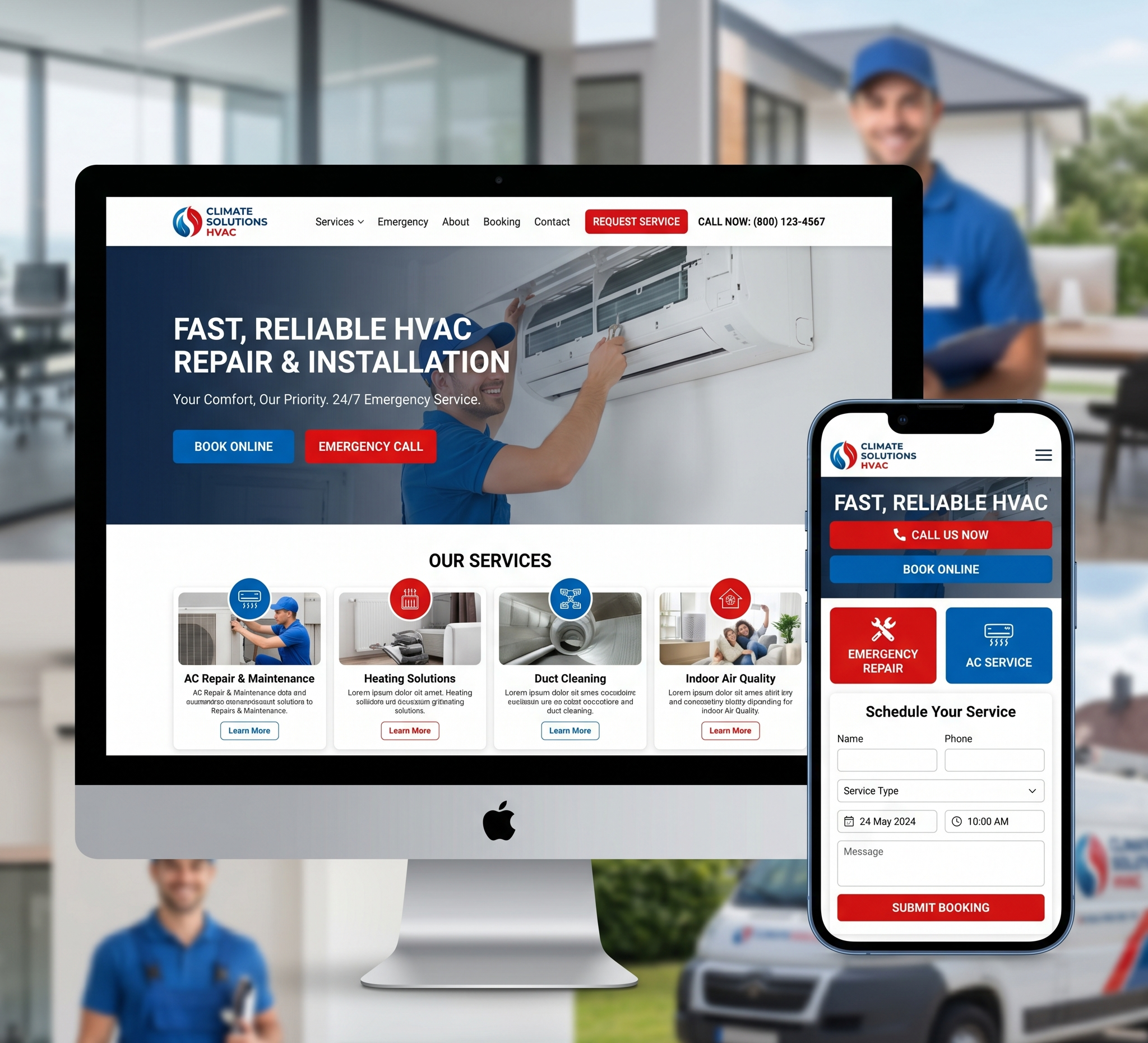

Healthcare Website Design Using Figma – In the digital age, a well-designed healthcare website is essential for any medical practice, hospital, or healthcare provider. With patients increasingly turning to online resources to find information, schedule appointments, and access medical services, the need for an intuitive, user-friendly, and aesthetically pleasing website cannot be overstated. Figma, a powerful design tool, offers a robust platform for creating healthcare websites that are both functional and attractive.
Healthcare Website Design Using Figma: A Comprehensive Guide
This comprehensive guide delves into the intricacies of designing a healthcare website using Figma. We’ll cover everything from the basic principles of healthcare website design to advanced techniques, ensuring your website not only meets but exceeds user expectations.
Table of Contents
Introduction
Importance of Healthcare Website Design
Understanding Figma
Key Principles of Healthcare Website Design
- User-Centered Design
- Accessibility
- Mobile Responsiveness
- Speed and Performance
- Security and Privacy
Planning Your Healthcare Website
- Defining Goals and Objectives
- Identifying Target Audience
- Competitor Analysis
- Content Strategy
Designing with Figma
- Getting Started with Figma
- Creating Wireframes
- Building High-Fidelity Mockups
- Prototyping and User Testing
Essential Features of a Healthcare Website
- Easy Navigation
- Appointment Scheduling
- Patient Portals
- Telemedicine Integration
- Health Resources and Information
- Contact Information
Best Practices for Healthcare Website Design
- Consistent Branding
- Visual Hierarchy
- Effective Use of Colors and Typography
- Use of Images and Multimedia
- SEO Optimization
Case Studies
- Examples of Well-Designed Healthcare Websites
Conclusion
Importance of Healthcare Website Design
The design of a healthcare website is critical for several reasons:
- First Impressions: The website is often the first interaction a patient has with a healthcare provider. A professional, well-designed website creates a positive first impression and builds trust.
- Usability: Patients need to find information quickly and easily. An intuitive design improves user experience and ensures patients can access the services they need.
- Accessibility: A well-designed website is accessible to all users, including those with disabilities. This ensures compliance with legal standards and broadens your reach.
- Conversion: A strategically designed website can convert visitors into patients by providing clear calls to action, easy appointment scheduling, and comprehensive information.
- Reputation: A modern, up-to-date website reflects the quality of care provided and enhances the overall reputation of the healthcare provider.
Understanding Figma
Figma is a cloud-based design tool that enables designers to collaborate in real-time. It combines powerful features for designing, prototyping, and sharing user interfaces. Key benefits of Figma include:
- Collaboration: Multiple designers can work on the same project simultaneously, making it ideal for team environments.
- Accessibility: Being cloud-based, Figma can be accessed from anywhere with an internet connection.
- Prototyping: Figma allows for the creation of interactive prototypes, enabling designers to test and refine user experiences.
- Version Control: Figma maintains a history of changes, making it easy to revert to previous versions or track progress.
- Integration: Figma integrates with other tools like Slack, Trello, and Jira, streamlining workflows and enhancing productivity.
Key Principles of Healthcare Website Design
User-Centered Design
User-centered design (UCD) focuses on the needs, preferences, and behaviors of the end-users. For healthcare websites, this means understanding the unique needs of patients, caregivers, and healthcare providers. Key aspects of UCD include:
- Research: Conducting user research to understand patient needs, pain points, and preferences.
- Personas: Creating user personas to represent different segments of the target audience.
- User Flows: Mapping out user flows to ensure seamless navigation and task completion.
- Feedback: Incorporating user feedback throughout the design process to continually refine and improve the website.
Accessibility
Accessibility ensures that all users, including those with disabilities, can access and use the website effectively. Key accessibility considerations include:
- WCAG Compliance: Adhering to Web Content Accessibility Guidelines (WCAG) to ensure the website meets accessibility standards.
- Keyboard Navigation: Ensuring the website can be navigated using a keyboard for users with mobility impairments.
- Screen Readers: Designing for compatibility with screen readers for visually impaired users.
- Contrast and Readability: Using sufficient color contrast and readable fonts to enhance visibility.
Mobile Responsiveness
With the increasing use of mobile devices, a healthcare website must be mobile-responsive. This means designing a website that adapts seamlessly to different screen sizes and devices. Key considerations include:
- Responsive Design: Using flexible grids and layouts to ensure the website looks good on all devices.
- Touch-Friendly: Designing touch-friendly interfaces with appropriately sized buttons and touch targets.
- Performance: Optimizing for fast load times on mobile networks.
Speed and Performance
Website speed and performance are crucial for user experience and SEO. Slow-loading websites can frustrate users and lead to higher bounce rates. Key performance optimizations include:
- Optimizing Images: Compressing images without sacrificing quality to reduce load times.
Minifying Code: Removing unnecessary code to streamline website performance.
Caching: Implementing caching strategies to improve load times for repeat visitors.
CDN: Using Content Delivery Networks (CDNs) to deliver content faster by serving it from servers closer to the user.
Security and Privacy
Healthcare websites handle sensitive patient information, making security and privacy paramount. Key considerations include:
- SSL/TLS Encryption: Using HTTPS to encrypt data transmitted between the user and the website.
- Data Protection: Implementing robust data protection measures to safeguard patient information.
- HIPAA Compliance: Ensuring the website complies with the Health Insurance Portability and Accountability Act (HIPAA) for handling patient data.
- Privacy Policies: Clearly communicating privacy policies and data usage practices to users.
Planning Your Healthcare Website
Defining Goals and Objectives
Before diving into design, it’s essential to define the goals and objectives of the healthcare website. These goals will guide the design process and ensure the website meets the needs of the healthcare provider and its patients. Common goals for healthcare websites include:
- Information Dissemination: Providing comprehensive information about medical services, conditions, treatments, and healthcare providers.
- Appointment Scheduling: Enabling patients to schedule appointments easily online.
- Patient Engagement: Offering resources and tools to engage patients, such as patient portals, telemedicine services, and health tips.
- Branding and Reputation: Enhancing the brand image and reputation of the healthcare provider.
- Compliance and Accessibility: Ensuring the website complies with legal and accessibility standards.
Identifying Target Audience
Understanding the target audience is crucial for designing a website that meets their needs. The target audience for a healthcare website may include:
- Patients: Individuals seeking medical information, scheduling appointments, or accessing healthcare services.
- Caregivers: Family members or caregivers looking for information and support for their loved ones.
- Healthcare Providers: Doctors, nurses, and other healthcare professionals accessing resources and tools.
- Administrators: Healthcare administrators managing appointments, patient records, and other administrative tasks.
Creating detailed user personas for each segment of the target audience helps in designing a website that addresses their specific needs and preferences.
Competitor Analysis
Analyzing competitor websites provides valuable insights into industry standards and trends. Key aspects of competitor analysis include:
- Strengths and Weaknesses: Identifying what competitors are doing well and where they fall short.
- User Experience: Evaluating the usability and functionality of competitor websites.
- Features and Services: Understanding the features and services offered by competitors.
- Design Trends: Keeping up with design trends and best practices in the healthcare industry.
Content Strategy
A well-defined content strategy ensures the website provides valuable, relevant, and consistent information to its users. Key elements of a content strategy include:
- Content Types: Identifying the types of content to be included on the website, such as articles, videos, infographics, and patient testimonials.
- Content Calendar: Creating a content calendar to plan and schedule content updates.
- SEO: Optimizing content for search engines to improve visibility and reach.
- Quality and Accuracy: Ensuring all content is accurate, up-to-date, and reliable.
Designing with Figma
Getting Started with Figma
Figma offers a user-friendly interface and powerful tools for designing healthcare websites. To get started with Figma:
- Sign Up: Create a Figma account and explore its features.
- Project Setup: Set up a new project and create a design file.
- Interface Familiarization: Familiarize yourself with Figma’s interface, including the design canvas, layers panel, and toolbar.
- Templates and Components: Utilize Figma’s templates and components to streamline the design process.
Creating Wireframes
Wireframes are basic, low-fidelity sketches that outline the structure and layout of a website. They focus on the placement of elements and the flow of information. Steps to create wireframes in Figma:
- Define Layouts: Sketch out the main layouts for different pages, such as the homepage, service pages, and contact page.
- Placeholders: Use placeholders for images, text, and interactive elements.
- User Flows: Map out user flows to ensure seamless navigation between pages.
- Feedback: Gather feedback from stakeholders and make necessary adjustments.
Building High-Fidelity Mockups
High-fidelity mockups are detailed designs that closely resemble the final website. They include colors, typography, images, and interactive elements. Steps to create high-fidelity mockups in Figma:
- Design System: Create a design system with standardized colors, typography, buttons, and other components.
- Layout and Grid: Use a consistent layout and grid system to ensure a cohesive design.
- Visual Elements: Add images, icons, and multimedia elements to enhance the design.
- Interactive Elements: Incorporate interactive elements like buttons, forms, and navigation menus.
- Feedback and Iteration: Gather feedback from stakeholders and iterate on the design.
Prototyping and User Testing
Prototyping allows you to create interactive versions of your designs to test user flows and interactions. Steps to create prototypes in Figma:
- Link Screens: Link different screens and elements to create interactive user flows.
- Interactive States: Define interactive states for elements like buttons and forms.
- User Testing: Conduct user testing to gather feedback on the prototype.
- Refinement: Refine the design based on user feedback and testing results.
Essential Features of a Healthcare Website
Easy Navigation
Intuitive navigation is crucial for a positive user experience. Key elements of easy navigation include:
- Clear Menu Structure: Use a clear and organized menu structure to help users find information easily.
- Breadcrumbs: Implement breadcrumbs to show users their location within the website.
- Search Functionality: Include a search bar to allow users to find specific information quickly.
- Consistent Navigation: Ensure navigation elements are consistent across all pages.
Appointment Scheduling
Online appointment scheduling simplifies the process for patients and reduces administrative burden. Key features include:
- Easy Access: Place appointment scheduling prominently on the homepage and other relevant pages.
- User-Friendly Forms: Design user-friendly forms that are easy to fill out.
- Confirmation and Reminders: Send confirmation emails and reminders to patients.
- Integration: Integrate the scheduling system with the healthcare provider’s internal systems.
Patient Portals
Patient portals provide a secure platform for patients to access their medical records, communicate with healthcare providers, and manage their health. Key features include:
- Secure Login: Implement secure login and authentication processes.
- Health Records: Allow patients to view and download their health records.
- Communication: Enable secure messaging between patients and healthcare providers.
- Appointment Management: Allow patients to schedule, reschedule, and cancel appointments.
Telemedicine Integration
Telemedicine services have become increasingly important, especially in the wake of the COVID-19 pandemic. Key features of telemedicine integration include:
- Video Consultations: Enable video consultations with healthcare providers.
- Secure Platform: Use a secure platform that complies with privacy and security regulations.
- Easy Access: Make it easy for patients to access telemedicine services from the website.
- Appointment Scheduling: Integrate telemedicine appointment scheduling with the website’s scheduling system.
Health Resources and Information
Providing valuable health resources and information establishes the healthcare provider as a trusted authority. Key elements include:
- Educational Content: Publish articles, videos, and infographics on various health topics.
- FAQs: Include a frequently asked questions (FAQ) section to address common queries.
- Interactive Tools: Offer interactive tools like symptom checkers and health assessments.
- Resource Library: Create a resource library with downloadable guides and brochures.
Contact Information
Clear and accessible contact information is essential for patient communication. Key elements include:
- Contact Form: Include a contact form for general inquiries.
- Phone Numbers: Display phone numbers prominently for different departments.
- Email Addresses: Provide email addresses for specific inquiries.
- Location and Directions: Include the healthcare provider’s location, map, and directions.
Best Practices for Healthcare Website Design
Consistent Branding
Consistent branding enhances the website’s professional image and builds trust. Key elements of consistent branding include:
- Logo and Colors: Use the healthcare provider’s logo and brand colors consistently throughout the website.
- Typography: Maintain consistent typography for headings, body text, and other elements.
- Imagery: Use high-quality images that reflect the healthcare provider’s values and services.
- Voice and Tone: Ensure the website’s content maintains a consistent voice and tone.
Visual Hierarchy
Visual hierarchy guides users through the website and highlights important information. Key elements include:
- Headings and Subheadings: Use clear headings and subheadings to organize content.
- Contrast: Use contrast to make important elements stand out.
- Whitespace: Utilize whitespace to separate different sections and make the website easy to read.
- Alignment: Ensure consistent alignment of elements to create a cohesive design.
Effective Use of Colors and Typography
Colors and typography play a crucial role in the website’s aesthetics and readability. Key considerations include:
- Color Palette: Choose a color palette that reflects the healthcare provider’s brand and creates a calming, professional atmosphere.
- Contrast: Ensure sufficient contrast between text and background for readability.
- Typography: Select readable fonts and maintain consistent typography for headings, body text, and other elements.
- Accessibility: Ensure colors and typography meet accessibility standards for all users.
Use of Images and Multimedia
Images and multimedia enhance the website’s visual appeal and provide valuable information. Key considerations include:
- High-Quality Images: Use high-quality images that reflect the healthcare provider’s services and values.
- Alt Text: Include alt text for images to improve accessibility and SEO.
- Videos: Incorporate videos to provide educational content and patient testimonials.
- Interactive Elements: Use interactive elements like sliders and animations to engage users.
SEO Optimization
Search engine optimization (SEO) ensures the website ranks well on search engines and reaches a broader audience. Key SEO strategies include:
- Keyword Research: Conduct keyword research to identify relevant terms and phrases.
- On-Page SEO: Optimize on-page elements like titles, headings, meta descriptions, and URLs.
- Content Optimization: Ensure content is valuable, relevant, and optimized for target keywords.
- Technical SEO: Implement technical SEO best practices, such as optimizing site speed, ensuring mobile-friendliness, and using structured data.
Case Studies
Examples of Well-Designed Healthcare Websites
- Mayo Clinic: The Mayo Clinic’s website is a prime example of effective healthcare website design. It features a clean and organized layout, easy navigation, and comprehensive health information. The website’s design is user-centered, ensuring patients can quickly find the information they need.
- Cleveland Clinic: Cleveland Clinic’s website combines modern design with user-friendly features. The site offers easy appointment scheduling, patient portals, and telemedicine services. Its design emphasizes accessibility and usability, catering to a diverse audience.
- Johns Hopkins Medicine: Johns Hopkins Medicine’s website is a benchmark for integrating educational content with patient services. The site features detailed health resources, interactive tools, and clear navigation. Its design is visually appealing and optimized for user experience.
Conclusion: Healthcare Website Design Using Figma
Designing a healthcare website using Figma requires a thoughtful approach that prioritizes user experience, accessibility, and functionality. By adhering to key principles of healthcare website design and leveraging Figma’s powerful tools, you can create a website that meets the needs of patients and healthcare providers alike.
From initial planning and wireframing to building high-fidelity mockups and conducting user testing, each step in the design process is crucial for achieving a successful healthcare website. Incorporating essential features like easy navigation, appointment scheduling, patient portals, and telemedicine integration ensures the website provides valuable services to its users.
By following best practices for consistent branding, visual hierarchy, effective use of colors and typography, and SEO optimization, you can create a healthcare website that stands out in the competitive digital landscape. Examples of well-designed healthcare websites, such as those of Mayo Clinic, Cleveland Clinic, and Johns Hopkins Medicine, serve as inspiration for creating a website that excels in both form and function.
In summary, a well-designed healthcare website is a powerful tool for enhancing patient engagement, improving accessibility, and building trust. With Figma, you have the resources and capabilities to create a website that not only meets but exceeds user expectations, ultimately contributing to better healthcare outcomes and patient satisfaction.