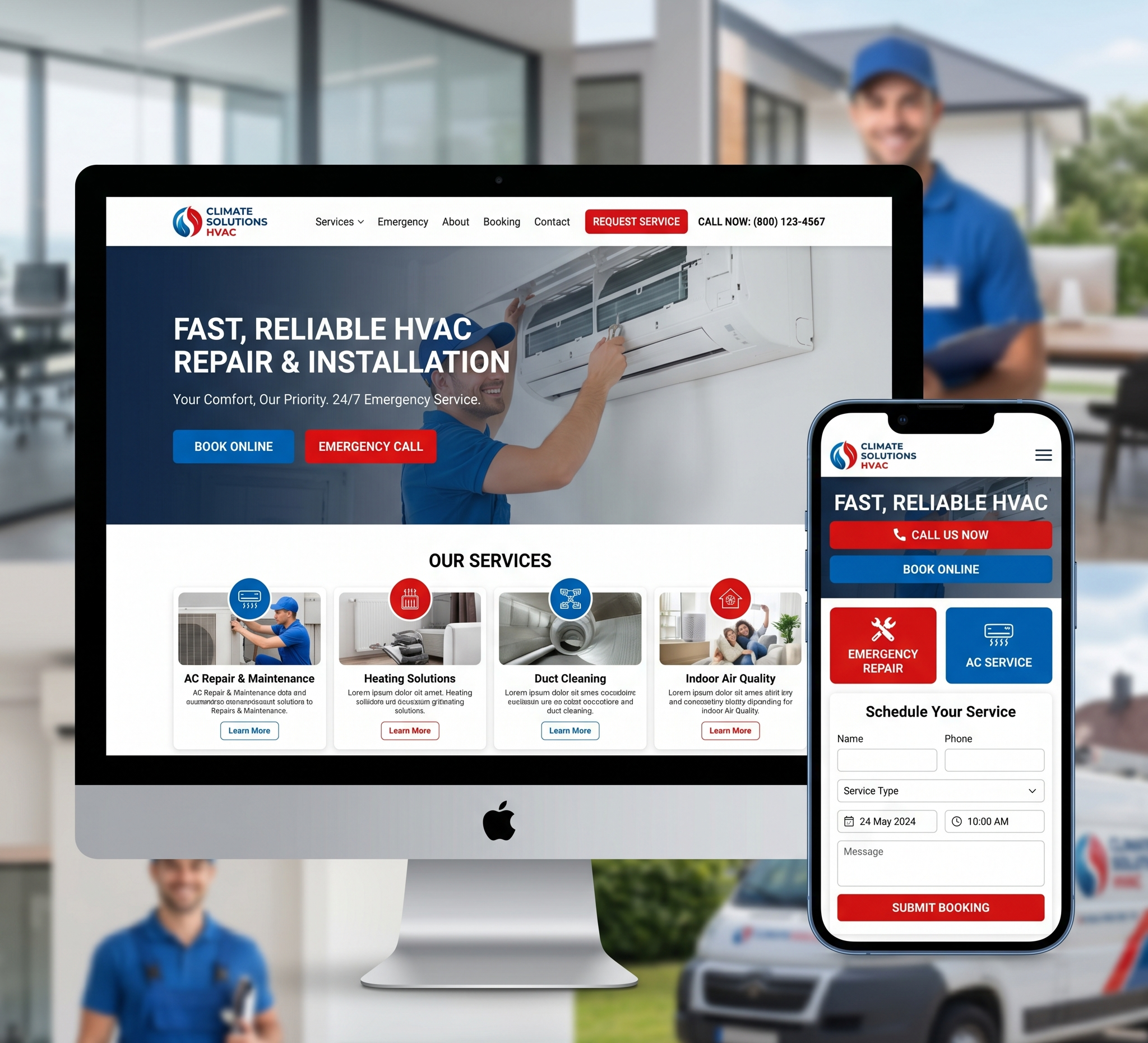

In today’s digital age, having a professional and functional website is essential for any business or individual looking to establish an online presence. However, not everyone has the budget to hire high-end web design agencies or experienced freelancers. The good news is that there are numerous affordable options available that can still provide a quality website. This article will explore the various aspects of the cheapest web design, from DIY tools to budget-friendly professional services, and how to choose the right one for your needs.
Affordable Web Design: Achieving Professional Results on a Budget
Table of Contents
1. Introduction
2. Understanding the Basics of Web Design
- What is Web Design?
- Importance of Web Design
3. DIY Web Design Tools
- Website Builders
- Content Management Systems (CMS)
- Free and Affordable Templates
4. Hiring Affordable Web Designers
- Freelancers vs. Agencies
- Platforms to Find Affordable Web Designers
- Tips for Hiring Budget-Friendly Web Designers
5. Essential Elements of a Good Website
- User Experience (UX)
- Responsive Design
- SEO-Friendly Design
- Essential Features
6. Cost-Saving Tips in Web Design
- Choosing the Right Platform
- Utilizing Free Resources
- Incremental Development
- Outsourcing Wisely
7. Case Studies
- Successful Cheap Web Design Examples
- Lessons Learned from Affordable Web Design Projects
8. Common Mistakes to Avoid in Cheap Web Design
9. Conclusion
1. Introduction
The internet has democratized information and opportunities, allowing individuals and small businesses to reach global audiences. However, a significant hurdle remains: the cost of establishing a professional online presence. Many people assume that creating a high-quality website requires a large budget, but this is not necessarily true. With the right approach and tools, you can create an effective website without breaking the bank.
2. Understanding the Basics of Web Design
What is Web Design?
- Web design encompasses the creation and maintenance of websites. It involves various disciplines including graphic design, user interface (UI) design, authoring, user experience (UX) design, and search engine optimization (SEO). The goal is to create a website that is both visually appealing and functional, providing a seamless experience for users.
Importance of Web Design
A well-designed website can significantly impact your business. It helps in:
- Building Credibility: A professional-looking website enhances your reputation.
- Improving User Experience: A good design ensures that visitors can navigate your site easily.
- Increasing Engagement: Attractive and functional websites keep visitors longer, reducing bounce rates.
- Boosting SEO: Well-structured websites rank better in search engine results, driving more organic traffic.
3. DIY Web Design Tools
For those looking to save money, DIY web design tools offer a great alternative to hiring professionals. Here are some popular options:
Website Builders
Website builders are user-friendly platforms that allow you to create a website without any coding knowledge. They come with drag-and-drop interfaces, making it easy to design and customize your site. Some popular website builders include:
- Wix: Known for its ease of use and a wide range of templates.
- Weebly: Offers a simple drag-and-drop interface with robust eCommerce options.
- Squarespace: Known for its stunning design templates and intuitive interface.
- WordPress.com: A beginner-friendly version of WordPress that includes hosting and support.
Content Management Systems (CMS)
- Content Management Systems provide more flexibility and control over your website compared to website builders. They are ideal for users with some technical knowledge. The most popular CMS is WordPress.org, which powers over 30% of the web. Other notable CMS options include Joomla and Drupal.
Free and Affordable Templates
- Templates are pre-designed website layouts that you can customize to fit your needs. Many website builders and CMS platforms offer a variety of free and affordable templates, allowing you to create a professional-looking site without hiring a designer.
4. Hiring Affordable Web Designers
If DIY tools are not your preference, hiring an affordable web designer is a viable option. Here’s how to find and choose the right one:
Freelancers vs. Agencies
- Freelancers: Often cheaper and more flexible, freelancers are ideal for small projects and tight budgets. Websites like Upwork, Fiverr, and Freelancer.com can help you find skilled freelancers at competitive rates.
- Agencies: Although generally more expensive, agencies offer a comprehensive range of services and can handle larger and more complex projects.
Platforms to Find Affordable Web Designers
- Upwork: A popular platform for finding freelance designers with various levels of expertise and pricing.
- Fiverr: Known for its budget-friendly options, Fiverr allows you to hire designers for specific tasks at low prices.
- Freelancer.com: Offers a wide range of freelance professionals, allowing you to post your project and receive bids from interested designers.
Tips for Hiring Budget-Friendly Web Designers
- Define Your Requirements: Clearly outline what you need before hiring a designer.
- Check Portfolios: Review the portfolios of potential designers to ensure their style matches your vision.
- Read Reviews: Look at reviews and ratings from previous clients.
- Negotiate Rates: Don’t be afraid to negotiate prices and ask for discounts.
5. Essential Elements of a Good Website
Even with a limited budget, certain elements are non-negotiable for a good website. Focus on these key aspects to ensure your site is effective:
User Experience (UX)
A good UX design ensures that visitors can navigate your site easily and find the information they need quickly. Important UX considerations include:
- Intuitive Navigation: Clear menus and easy-to-find links.
- Fast Load Times: Ensure your site loads quickly to keep visitors engaged.
- Clear Call to Actions (CTAs): Make it easy for visitors to take the next step, whether it’s making a purchase or contacting you.
Responsive Design
- With more people accessing the web on mobile devices, having a responsive design is crucial. Your website should look and function well on all screen sizes.
SEO-Friendly Design
Search engine optimization is essential for driving organic traffic. Ensure your website is SEO-friendly by focusing on:
- Clean Code: Well-written code that search engines can easily read.
- Proper Use of Keywords: Integrate relevant keywords into your content without overstuffing.
- Mobile Optimization: Google favors mobile-friendly websites.
Essential Features
Ensure your website includes the following features:
- Contact Information: Make it easy for visitors to contact you.
- Social Media Integration: Link to your social media profiles to increase engagement.
- Blog Section: Regularly updated content can improve SEO and keep visitors coming back.
- Analytics Tools: Use tools like Google Analytics to track your website s performance.
6. Cost-Saving Tips in Web Design
Choosing the Right Platform
Selecting the right platform for your website can save you money in the long run. Consider factors such as ease of use, scalability, and cost when choosing between website builders and CMS platforms.
Utilizing Free Resources
Take advantage of free resources available online, such as:
- Stock Photos: Websites like Unsplash and Pexels offer high-quality images for free.
- Design Tools: Tools like Canva can help you create professional graphics at no cost.
- Plugins: Many CMS platforms offer free plugins to enhance your website s functionality.
Incremental Development
- Instead of building your entire website at once, consider an incremental approach. Start with a basic version and add features over time as your budget allows.
Outsourcing Wisely
- Outsource specific tasks, such as logo design or content writing, to freelancers rather than hiring a full-time employee or agency. This can be more cost-effective and give you access to specialized skills.
7. Case Studies
Successful Cheap Web Design Examples
Case Study 1: The Minimalist Blog
- Objective: Create a simple, clean blog with a focus on content.
- Approach: Used WordPress with a free minimalist theme.
- Cost: $50 for domain and hosting.
- Outcome: Attracted a steady readership and achieved high engagement rates.
Case Study 2: The Startup Landing Page
- Objective: Build a landing page for a new app.
- Approach: Hired a freelancer on Fiverr for $100 to design the page.
- Cost: $100 for design + $50 for domain and hosting.
- Outcome: Successfully generated leads and interest in the app.
Lessons Learned from Affordable Web Design Projects
- Simplicity Works: A simple, clean design often works best and is easier to achieve on a budget.
- Focus on Content: High-quality content can compensate for a lack of fancy design elements.
- Iterate and Improve: Start with a basic version and improve it over time as you get more feedback and resources.
8. Common Mistakes to Avoid in Cheap Web Design
- Ignoring UX: Don t sacrifice user experience for cost. Ensure your site is easy to navigate.
- Overloading with Features: Stick to essential features to avoid clutter and reduce costs.
- Neglecting Mobile Users: Ensure your site is mobile-friendly to reach a wider audience.
- Poor Quality Content: Invest in good content; it s just as important as the design.
9. Conclusion
Creating a professional website on a tight budget is entirely possible with the right approach and tools. Whether you opt for DIY solutions or hire affordable web designers, focus on essential elements like UX, responsive design, and SEO. Utilize cost-saving strategies and avoid common pitfalls to ensure your website is both functional and visually appealing.