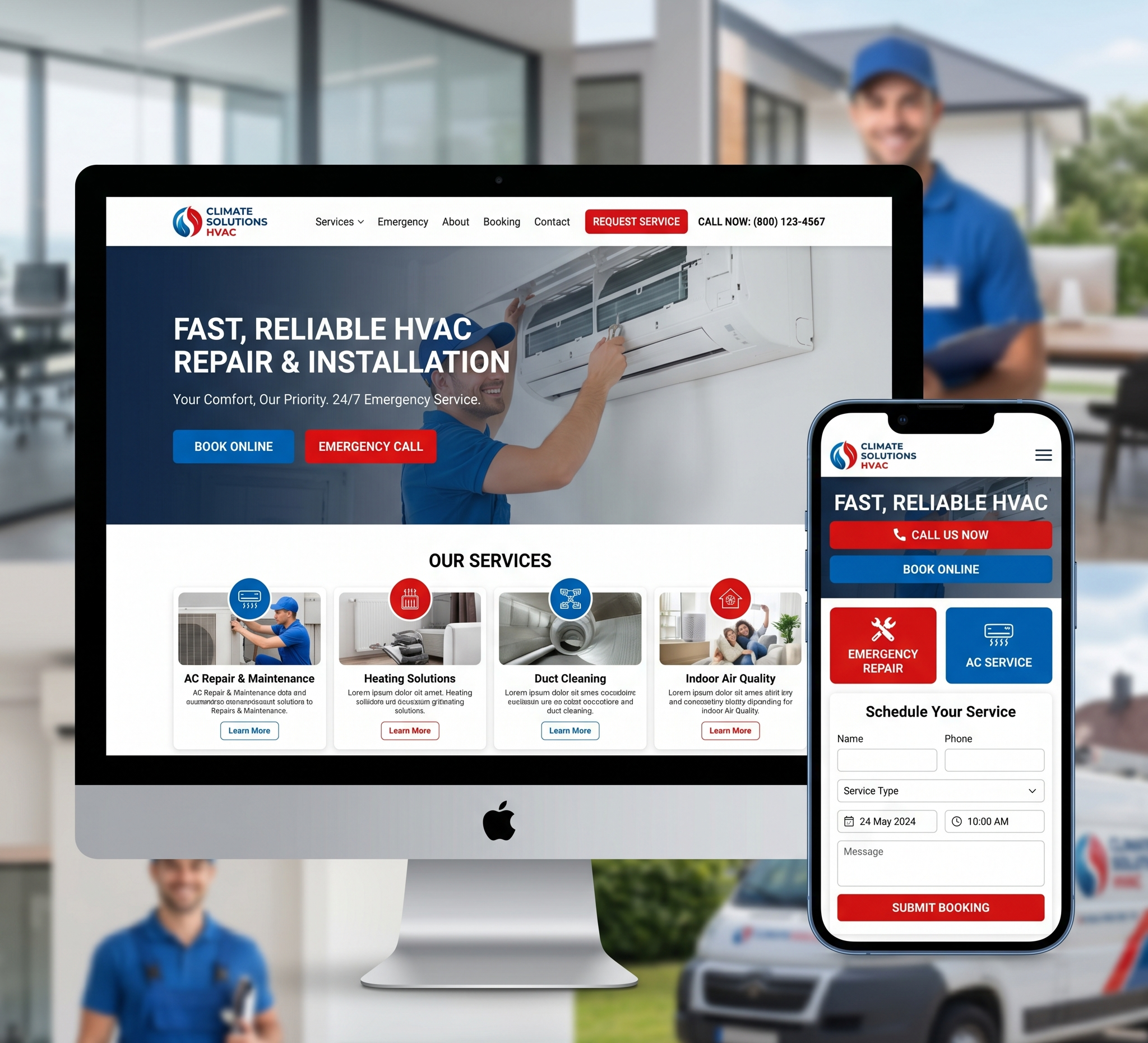

Comprehensive Guide on How to Redesign a WordPress Website – In the fast-paced world of the internet, a website’s design can quickly become outdated or fail to meet the changing needs of its audience. Redesigning a WordPress website is not just about giving it a fresh look; it’s about enhancing user experience, improving functionality, and ensuring your site remains competitive in the digital landscape. Whether you’re a business owner, blogger, or just an individual looking to revamp your online presence, this comprehensive guide will walk you through the step-by-step process of redesigning your WordPress website effectively.
Comprehensive Guide on How to Redesign a WordPress Website
Table of Contents – How to Redesign a WordPress Website
1. Understanding the Need for Redesign
- 1.1 Assessing Your Current Website
- 1.2 Identifying Goals and Objectives
- 1.3 Analyzing User Feedback and Analytics
2. Planning Your Website Redesign
- 2.1 Defining Your Target Audience
- 2.2 Setting Clear Goals and KPIs
- 2.3 Budgeting and Resource Allocation
3. Back Up Your Existing Website
- 3.1 Exporting Content
- 3.2 Saving Important Data
- 3.3 Backup Plugins and Tools
4. Choosing the Right Theme
- 4.1 Free vs. Premium Themes
- 4.2 Responsive Design
- 4.3 Customizable Features
5. Selecting Essential Plugins
- 5.1 SEO Plugins
- 5.2 Security Plugins
- 5.3 Performance Optimization Plugins
6. Designing Your Website
- 6.1 Creating a Wireframe
- 6.2 Selecting Color Schemes and Fonts
- 6.3 Creating a User-Friendly Navigation
7. Content Migration
- 7.1 Review and Edit Existing Content
- 7.2 Importing Content to the New Theme
- 7.3 Testing Content Display
8. Optimizing for SEO
- 8.1 Keyword Research and Integration
- 8.2 SEO-Friendly URLs
- 8.3 Mobile Optimization
9. Testing and Quality Assurance
- 9.1 Cross-Browser and Device Testing
- 9.2 Functionality Testing
- 9.3 Performance Testing
10. Launching Your Redesigned Website
- 10.1 Redirects and Broken Links
- 10.2 XML Sitemap Submission
- 10.3 Announcing the Launch
11. Post-Launch Tasks
- 11.1 Monitoring Website Performance
- 11.2 Collecting User Feedback
- 11.3 Continuous Improvement
12. Conclusion
1. Understanding the Need for Redesign
1.1 Assessing Your Current Website
Before diving into the redesign process, it’s essential to evaluate your existing WordPress website thoroughly. Ask yourself the following questions:
- Is the design outdated or visually unappealing?
- Are users complaining about navigation or load times?
- Does the website effectively convey your brand message?
- Are there broken links or errors?
- Is your site mobile-friendly?
A comprehensive assessment will provide a clear understanding of what needs improvement.
1.2 Identifying Goals and Objectives
Next, establish your website’s redesign objectives. These objectives should align with your overall business or personal goals. Common goals for a redesign include:
- Enhancing user experience (UX)
- Increasing website traffic and conversions
- Rebranding or updating the website’s look
- Adding new features or functionality
- Improving search engine visibility (SEO)
1.3 Analyzing User Feedback and Analytics
To gain insights into your users’ experiences, analyze user feedback and website analytics. Tools like Google Analytics can help you identify:
- Most visited pages
- Bounce rates
- User demographics
- Conversion rates
- Popular search terms
These insights will guide your redesign decisions based on user preferences and behaviour.
2. Planning Your Website Redesign
2.1 Defining Your Target Audience
Your website’s success depends on catering to your target audience’s needs and preferences. Create user personas to represent your ideal visitors. Consider factors like age, gender, location, interests, and online behaviour. Tailor your redesign to meet their expectations.
2.2 Setting Clear Goals and KPIs
Establish key performance indicators (KPIs) to measure the success of your redesign. Common KPIs include website traffic, conversion rates, engagement metrics (time on site, pages per session), and revenue if applicable. Setting clear goals ensures that your redesign efforts have a measurable impact.
2.3 Budgeting and Resource Allocation
Determine your budget for the redesign project. This budget should cover expenses related to themes, plugins, web hosting, and any professional services you may require. Allocate resources wisely to stay within budget and achieve your objectives.
3. Back Up Your Existing Website
3.1 Exporting Content
Before making any changes, back up your website’s content. In WordPress, you can export your posts, pages, comments, and media by navigating to the “Tools” section and selecting “Export.” Save the XML file generated as it contains your website’s content.
3.2 Saving Important Data
Aside from content, ensure that you save essential data, including user information, settings, and configurations. Document any custom code or scripts used on your existing site, as you may need to re-implement them later.
3.3 Backup Plugins and Tools
Backup your existing plugins, themes, and customizations. Some themes and plugins may not be available or compatible with the new design, so having backups ensures you can revert to the previous state if necessary.
4. Choosing the Right Theme
4.1 Free vs. Premium Themes
WordPress offers a vast selection of free and premium themes. Free themes are budget-friendly but may lack advanced features and customization options. Premium themes often provide better support, regular updates, and a wider range of design choices. Choose a theme that aligns with your website’s goals and budget.
4.2 Responsive Design
In today’s mobile-driven world, responsive design is a must. Ensure that your chosen theme is responsive, meaning it adapts seamlessly to various screen sizes and devices. This enhances the user experience and positively impacts SEO.
4.3 Customizable Features
Select a theme that allows for customization without the need for extensive coding. WordPress themes often come with customization options in the form of built-in customizer or page builder plugins. These features simplify the process of tailoring your website’s appearance and functionality to your needs.
5. Selecting Essential Plugins
5.1 SEO Plugins
Search engine optimization (SEO) is crucial for website visibility. Install and configure SEO plugins like Yoast SEO or All in One SEO Pack. These plugins help optimize your content, meta tags, and sitemaps for search engines.
5.2 Security Plugins
Protect your website from threats with security plugins such as Wordfence or Sucuri Security. These plugins offer features like firewall protection, malware scanning, and login security enhancements to keep your site safe.
5.3 Performance Optimization Plugins
Website speed is a critical factor in user experience and SEO. Utilize performance optimization plugins like WP Super Cache or W3 Total Cache to cache and minify resources, reducing load times. Additionally, consider a content delivery network (CDN) for faster content delivery.
6. Designing Your Website
6.1 Creating a Wireframe
Before diving into design, create a wireframe or mockup of your new website’s layout. Wireframes provide a visual blueprint, outlining the placement of elements such as headers, menus, content sections, and sidebars. Tools like Adobe XD, Sketch, or even pen and paper can be used for this purpose.
6.2 Selecting Color Schemes and Fonts
Choose a color scheme and font combination that aligns with your brand identity and appeals to your target audience. Consistency in colors and typography across your website creates a professional and cohesive look.
6.3 Creating a User-Friendly Navigation
Simplify website navigation by organizing content logically. Ensure that your menu structure is intuitive and that visitors can easily find what they’re looking for. Use clear, concise labels for menu items and consider implementing a search bar for added convenience.
7. Content Migration
7.1 Review and Edit Existing Content
Before migrating content, review and update it as needed. Remove outdated information, fix errors, and ensure that all content aligns with your new website’s goals and style.
7.2 Importing Content to the New Theme
To migrate content to the new theme, use the previously exported XML file or a content migration plugin. This process typically involves importing posts, pages, categories, tags, and media files. Ensure that all content displays correctly within the new design.
7.3 Testing Content Display
Thoroughly test the display of your content on various devices and browsers. Check for any formatting issues, broken links, or missing images. Make necessary adjustments to ensure a seamless user experience.
8. Optimizing for SEO
8.1 Keyword Research and Integration
Perform keyword research to identify relevant keywords and phrases related to your content. Integrate these keywords naturally into your content, headings, and meta descriptions to improve SEO and organic search rankings.
8.2 SEO-Friendly URLs
Optimize your website’s URLs by ensuring they are concise and descriptive. Use relevant keywords in your URLs and avoid using generic or lengthy strings of characters.
8.3 Mobile Optimization
Mobile optimization is critical for SEO and user experience. Test your website on mobile devices to ensure that all elements are responsive and that the site loads quickly on smartphones and tablets.
9. Testing and Quality Assurance
9.1 Cross-Browser and Device Testing
Test your redesigned website on different web browsers (e.g., Chrome, Firefox, Safari, Edge) and devices (desktop, laptop, tablet, mobile). Ensure that your site functions correctly and looks consistent across all platforms.
9.2 Functionality Testing
Thoroughly test all website functionality, including forms, buttons, contact forms, e-commerce features (if applicable), and any interactive elements. Verify that everything works as expected and that there are no glitches or errors.
9.3 Performance Testing
Use performance testing tools like Google PageSpeed Insights or GTmetrix to analyze your website’s load times and performance. Optimize any identified issues to improve site speed, as faster loading times enhance user experience and SEO.
10. Launching Your Redesigned Website
10.1 Redirects and Broken Links
Create 301 redirects to preserve SEO equity and ensure that users are directed to the correct pages if URLs have changed during the redesign. Additionally, use link-checking tools to identify and fix any broken links.
10.2 XML Sitemap Submission
Generate a new XML sitemap for your redesigned website and submit it to search engines like Google and Bing. This helps search engines index your site’s new structure and content.
10.3 Announcing the Launch
Inform your audience about the website redesign. Send out newsletters, update your social media profiles, and consider a blog post announcing the changes. Encourage visitors to explore the new design and provide feedback.
11. Post-Launch Tasks
11.1 Monitoring Website Performance
Continuously monitor your website’s performance using tools like Google Analytics. Keep an eye on traffic, user behaviour, and conversion rates. Make data-driven adjustments based on your findings to further improve your site.
11.2 Collecting User Feedback
Encourage users to provide feedback on the redesigned website. Implement feedback forms, surveys, or contact options to gather valuable insights. Address any issues or suggestions promptly to enhance the user experience.
11.3 Continuous Improvement
Website redesign is an ongoing process. Stay updated with industry trends, technologies, and user preferences. Regularly update your content, plugins, and themes to ensure your website remains relevant and competitive.
12. Conclusion
Redesigning a WordPress website is a multifaceted process that requires careful planning, execution, and ongoing maintenance. By following this comprehensive guide, you can ensure that your website not only looks fresh and appealing but also delivers an exceptional user experience, performs well in search engine rankings, and meets your goals and objectives.
Remember that the key to a successful website redesign is a user-centric approach. Prioritize your target audience’s needs and preferences, and use data-driven insights to make informed decisions throughout the redesign process. With dedication and attention to detail, your redesigned WordPress website will be well-positioned for success in the ever-evolving digital landscape.