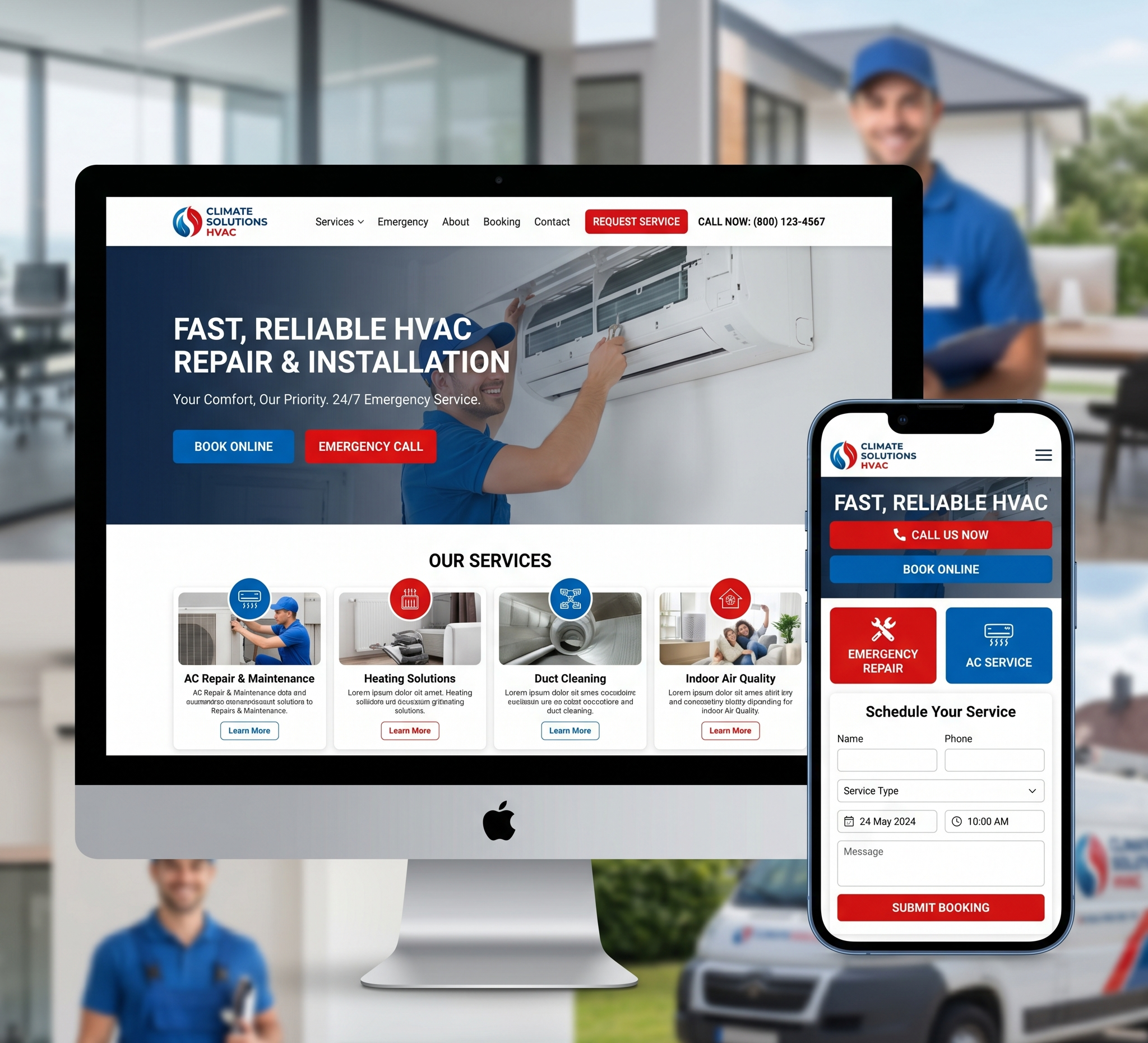

2024 Web Design Trends – Web design is an ever-evolving field, influenced by technological advancements, user preferences, and industry innovations. As we step into 2024, several trends are emerging that promise to redefine the digital landscape. This comprehensive guide explores these trends in detail, providing insights into their origins, implications, and practical applications. Whether you are a web designer, developer, or business owner, understanding these trends will help you create engaging, user-friendly, and future-proof websites.
2024 Web Design Trends: Shaping the Future of the Digital Experience
Table of Contents
-
Introduction
-
Minimalist Design with Bold Typography
-
Dark Mode and Low-Light UI
-
Neumorphism and Glassmorphism
-
AI and Machine Learning Integration
-
Voice User Interfaces (VUIs)
-
Micro-Interactions and Animations
-
3D Elements and Immersive Experiences
-
Augmented Reality (AR) and Virtual Reality (VR)
-
Sustainable Web Design
-
Advanced Scroll Effects
-
Mobile-First Design
-
Personalization and Customization
-
Data-Driven Design
-
Conclusion
1. Introduction
The world of web design is dynamic, constantly adapting to new technologies and changing user expectations. In 2024, the emphasis is on creating more immersive, personalized, and efficient user experiences. This shift is driven by advancements in AI, the growing importance of sustainability, and a deeper understanding of user behavior. This article delves into the key trends shaping web design in 2024, providing a roadmap for anyone looking to stay ahead in the digital realm.
2. Minimalist Design with Bold Typography
The Evolution of Minimalism
- Minimalism in web design isn’t a new concept, but its application continues to evolve. In 2024, minimalism is characterized by simplicity and clarity, focusing on essential elements to enhance user experience. The goal is to reduce clutter and distractions, allowing users to navigate websites effortlessly.
Bold Typography as a Design Element
- Bold typography has emerged as a powerful tool in minimalist design. It not only grabs attention but also conveys messages effectively. Designers are experimenting with oversized fonts, custom typefaces, and creative layouts to create visual hierarchy and guide users’ eyes to important content.
Practical Applications
- Landing Pages: Using bold typography to highlight key messages and calls to action.
- Product Pages: Emphasizing product names and features with large, clear fonts.
- Blogs and Articles: Enhancing readability with well-defined headings and subheadings.
Benefits
- Improved Readability: Clear, bold text makes content more accessible.
- Enhanced Aesthetics: Minimalist design with bold typography creates a modern, stylish look.
- Faster Loading Times: Simplified designs reduce load times, improving user experience.
3. Dark Mode and Low-Light UI
The Rise of Dark Mode
- Dark mode has gained immense popularity due to its aesthetic appeal and practical benefits. It reduces eye strain in low-light conditions and can extend battery life on OLED screens. As a result, more websites and apps are offering dark mode as an option.
Low-Light UI Design Principles
- Designing for dark mode involves more than just inverting colors. It requires careful consideration of contrast, color palettes, and readability. Successful dark mode designs maintain visual balance and ensure that all elements are easily distinguishable.
Practical Applications
- Settings and Preferences: Allowing users to toggle between light and dark modes.
- User Interfaces: Designing dark mode variants for all UI components.
- Content Delivery: Ensuring text and media are optimized for visibility in dark mode.
Benefits
- User Comfort: Reduces eye fatigue and improves readability in low-light environments.
- Aesthetic Appeal: Offers a sleek, modern look that appeals to many users.
- Energy Efficiency: Can save battery life on devices with OLED screens.
4. Neumorphism and Glassmorphism
Understanding Neumorphism
- Neumorphism combines skeuomorphism and flat design, creating a soft, extruded plastic look that mimics physical elements. It uses subtle shadows and highlights to create a 3D effect, giving interface elements a tactile feel.
Glassmorphism: A New Visual Trend
- Glassmorphism, inspired by frosted glass effects, uses transparency, blur, and layering to create depth and a sense of lightness. It adds a modern, sophisticated touch to UI design, making elements appear as if they are floating.
Practical Applications
- Buttons and Cards: Applying neumorphism to interactive elements for a tactile feel.
- Backgrounds and Overlays: Using glassmorphism for modals and navigation menus.
- Icons and Illustrations: Enhancing visual appeal with 3D effects and transparency.
Benefits
- Aesthetic Appeal: Both neumorphism and glassmorphism offer visually engaging and modern designs.
- Enhanced Interactivity: 3D effects make UI elements more intuitive and interactive.
- Brand Differentiation: Unique design styles help brands stand out.
5. AI and Machine Learning Integration
The Role of AI in Web Design
- Artificial intelligence (AI) and machine learning are transforming web design by enabling more personalized and efficient user experiences. AI can analyze user behavior, predict preferences, and automate design tasks, making websites more responsive and intuitive.
Practical Applications
- Personalized Content: Using AI to deliver tailored content and recommendations.
- Chatbots and Virtual Assistants: Enhancing customer service with AI-powered bots.
- Design Automation: Automating design tasks like layout adjustments and A/B testing.
Benefits
- Improved User Experience: Personalized content and interactions enhance user satisfaction.
- Increased Efficiency: AI automation saves time and reduces manual effort.
- Data-Driven Insights: AI provides valuable insights into user behavior and preferences.
6. Voice User Interfaces (VUIs)
The Growing Importance of Voice Search
- With the rise of smart speakers and voice assistants, voice search is becoming an integral part of web design. Voice User Interfaces (VUIs) enable users to interact with websites using voice commands, offering a hands-free, convenient experience.
Designing for VUIs
- Designing for VUIs involves creating intuitive voice interactions, optimizing content for voice search, and ensuring accessibility. It requires a focus on natural language processing (NLP) and user-centric design principles.
Practical Applications
- Voice Search Optimization: Optimizing content for voice queries and natural language.
- Interactive Voice Elements: Integrating voice commands for navigation and actions.
- Accessibility Features: Enhancing accessibility for users with disabilities.
Benefits
- Convenience: Provides a hands-free, efficient way to interact with websites.
- Accessibility: Makes websites more accessible to users with disabilities.
- User Engagement: Enhances user engagement with interactive voice elements.
7. Micro-Interactions and Animations
The Power of Micro-Interactions
- Micro-interactions are small, subtle animations that enhance user experience by providing feedback, guiding actions, and adding a touch of delight. They play a crucial role in making interfaces feel more responsive and intuitive.
Types of Micro-Interactions
- Loading Indicators: Animated icons or progress bars that indicate loading states.
- Hover Effects: Visual changes that occur when users hover over elements.
- Button Animations: Subtle movements or color changes on button clicks.
Practical Applications
- Form Validation: Using animations to indicate errors or successful submissions.
- Navigation Menus: Enhancing menu interactions with smooth transitions.
- Interactive Elements: Adding animations to buttons, icons, and other interactive components.
Benefits
- Enhanced Feedback: Provides immediate visual feedback, improving user experience.
- Increased Engagement: Makes interactions more enjoyable and engaging.
- Guided Navigation: Helps users understand actions and navigate websites intuitively.
8. 3D Elements and Immersive Experiences
The Rise of 3D Design
- 3D elements are becoming more prevalent in web design, offering immersive and interactive experiences. Advances in web technologies like WebGL and CSS3 have made it easier to integrate 3D graphics into websites.
Creating Immersive Experiences
Immersive experiences go beyond static 3D graphics, incorporating interactivity, animations, and real-time rendering. These experiences can engage users, enhance storytelling, and create memorable interactions.
Practical Applications
- Product Visualization: Using 3D models to showcase products from all angles.
- Interactive Storytelling: Creating immersive narratives with 3D graphics and animations.
- Virtual Tours: Offering virtual tours of real estate, museums, and other locations.
Benefits
- Increased Engagement: 3D elements and immersive experiences capture users’ attention.
- Better Visualization: Helps users visualize products and concepts more effectively.
- Memorable Interactions: Creates unique and memorable user experiences.
9. Augmented Reality (AR) and Virtual Reality (VR)
The Impact of AR and VR
- Augmented Reality (AR) and Virtual Reality (VR) are revolutionizing web design by offering new ways to interact with digital content. AR overlays digital information on the real world, while VR creates entirely virtual environments.
Practical Applications
- E-Commerce: Allowing users to try products virtually with AR.
- Education and Training: Using VR for immersive learning and simulations.
- Marketing and Advertising: Creating interactive AR/VR experiences for brand promotion.
Benefits
- Enhanced User Experience: Provides interactive and engaging ways to experience content.
- Increased Conversion Rates: Helps users make informed purchasing decisions.
- Innovative Branding: Offers innovative ways to promote products and services.
10. Sustainable Web Design
The Importance of Sustainability
- Sustainability is becoming a crucial consideration in web design as businesses and consumers become more environmentally conscious. Sustainable web design focuses on reducing energy consumption, minimizing digital waste, and promoting eco-friendly practices.
Key Principles
- Efficient Code: Writing clean, efficient code to reduce server load.
- Optimized Media: Compressing images and videos to minimize data transfer.
- Green Hosting: Choosing web hosting providers that use renewable energy.
Practical Applications
- Eco-Friendly Designs: Creating lightweight designs that load quickly and consume less energy.
- Sustainable Content: Promoting sustainability through content and messaging.
- Green Hosting: Migrating to hosting providers that prioritize renewable energy.
Benefits
- Environmental Impact: Reduces the carbon footprint of websites.
- Improved Performance: Faster loading times and better performance.
- Positive Branding: Aligns with the values of environmentally conscious consumers.
11. Advanced Scroll Effects
The Role of Scroll Effects
- Scroll effects are animations or visual changes that occur as users scroll through a webpage. They can enhance storytelling, guide users’ attention, and add a dynamic element to web design.
Types of Scroll Effects
- Parallax Scrolling: Creates a 3D effect by moving background and foreground elements at different speeds.
- Infinite Scrolling: Continuously loads new content as users scroll down.
- Scroll-Triggered Animations: Animations that activate at specific scroll points.
Practical Applications
- Storytelling: Using scroll effects to create interactive narratives.
- Product Pages: Highlighting features and benefits with scroll-triggered animations.
- Landing Pages: Engaging users with dynamic scrolling experiences.
Benefits
- Enhanced Engagement: Keeps users engaged with interactive and dynamic content.
- Guided Navigation: Helps guide users through content in a controlled manner.
- Visual Appeal: Adds a visually appealing element to web design.
12. Mobile-First Design
The Mobile-First Approach
- With the increasing use of mobile devices, designing for mobile first has become essential. Mobile-first design prioritizes the mobile user experience, ensuring that websites are optimized for smaller screens and touch interactions.
Key Considerations
- Responsive Design: Creating layouts that adapt to different screen sizes.
- Touch-Friendly Interfaces: Designing interfaces that are easy to navigate with touch.
- Performance Optimization: Ensuring fast loading times and efficient performance on mobile devices.
Practical Applications
- Navigation Menus: Using mobile-friendly navigation patterns like hamburgers and swipe gestures.
- Content Layout: Designing content to fit smaller screens without compromising readability.
- Forms and Interactions: Optimizing forms and interactive elements for touch input.
Benefits
- Improved Accessibility: Makes websites accessible to a wider audience.
- Better User Experience: Provides a seamless experience across all devices.
- SEO Benefits: Enhances search engine rankings with mobile-friendly designs.
13. Personalization and Customization
The Importance of Personalization
- Personalization tailors the user experience to individual preferences and behavior. It can significantly enhance user engagement and satisfaction by delivering relevant content and experiences.
Strategies for Personalization
- User Data: Leveraging user data to understand preferences and behavior.
- Dynamic Content: Delivering content based on user interests and interactions.
- Customizable Interfaces: Allowing users to customize their interface settings.
Practical Applications
- E-Commerce: Recommending products based on browsing and purchase history.
- Content Platforms: Delivering personalized content suggestions.
- User Interfaces: Allowing users to customize themes, layouts, and settings.
Benefits
- Increased Engagement: Personalized experiences keep users engaged.
- Higher Conversion Rates: Relevant recommendations and content drive conversions.
- Enhanced User Satisfaction: Users appreciate experiences tailored to their needs.
14. Data-Driven Design
Leveraging Data for Design
- Data-driven design uses analytics and user data to inform design decisions. It involves analyzing user behavior, feedback, and performance metrics to create designs that meet user needs and business goals.
Key Components
- User Analytics: Tracking user interactions and behavior on websites.
- A/B Testing: Comparing different design variants to determine the best performing.
- User Feedback: Collecting and analyzing feedback to improve design elements.
Practical Applications
- Landing Pages: Optimizing layouts and content based on user engagement data.
- Forms and CTAs: Testing different form designs and call-to-action buttons.
- Content Strategy: Using data to determine the most effective content types and topics.
Benefits
- Informed Decisions: Data-driven insights lead to more effective design choices.
- Improved Performance: Optimized designs result in better user engagement and conversions.
- Continuous Improvement: Ongoing analysis and testing drive continuous design improvements.
15. Conclusion
Web design in 2024 is marked by a focus on creating more engaging, personalized, and efficient user experiences. From minimalist designs with bold typography to the integration of AI and immersive 3D elements, these trends reflect the evolving needs and preferences of users. By staying abreast of these trends and incorporating them into your web design strategies, you can create websites that not only look modern and stylish but also offer exceptional user experiences. As the digital landscape continues to evolve, embracing these trends will help you stay ahead of the curve and ensure your web presence remains relevant and impactful.