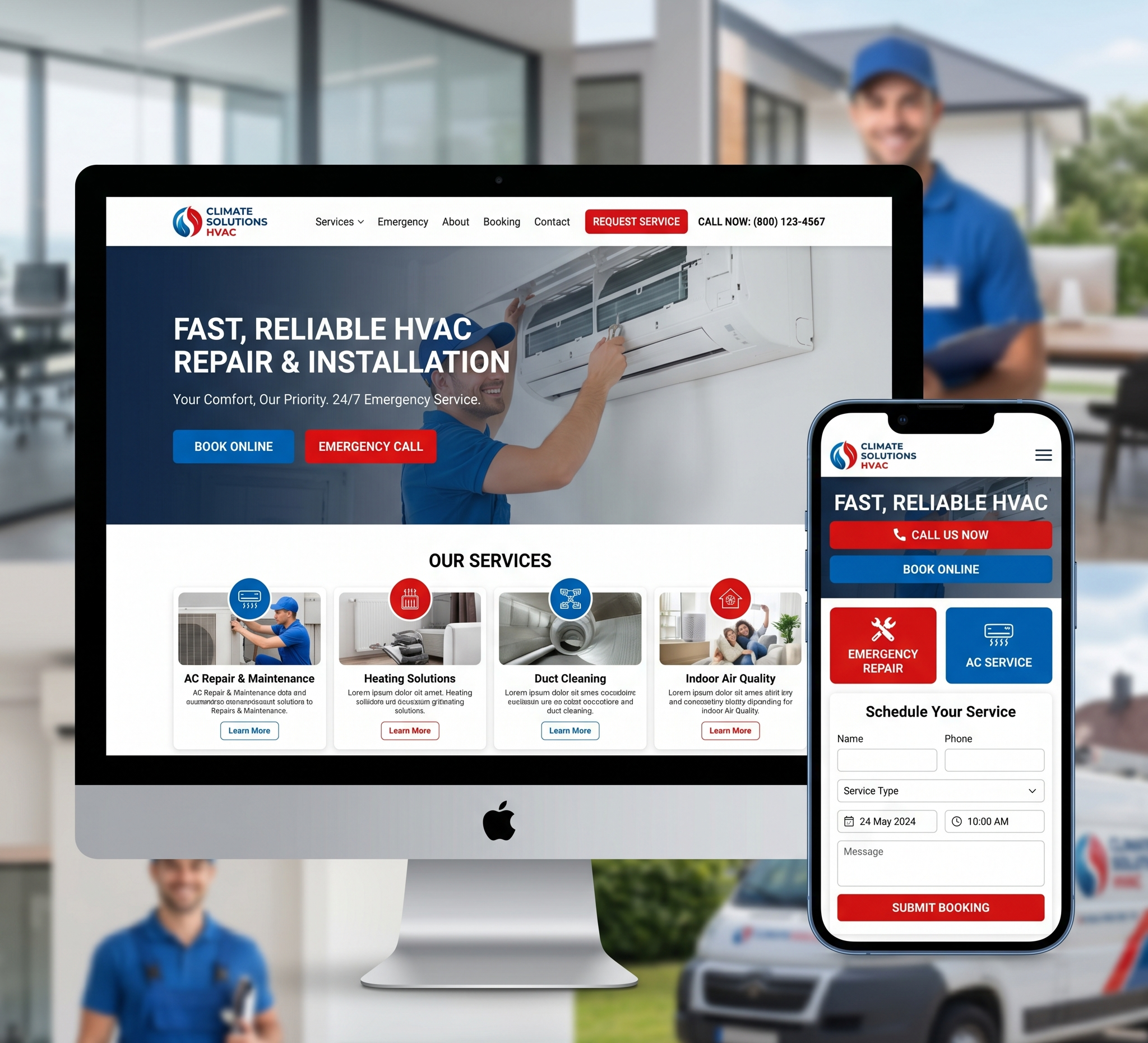

Creating the Best Healthcare Website Design – In today’s digital age, having an effective online presence is crucial for healthcare providers. A well-designed healthcare website can enhance patient engagement, build trust, and provide valuable information to both current and potential patients. However, designing a healthcare website that stands out and meets the needs of your audience requires careful planning and execution.
Creating the Best Healthcare Website Design: A Comprehensive Guide
In this comprehensive guide, we will delve into the key elements and best practices for creating the best healthcare website design that is both human and search-engine-friendly.
Table of Contents – Creating the Best Healthcare Website Design
1. Understanding the Importance of Healthcare Website Design
- 1.1 Why Healthcare Websites Matter
- 1.2 The Impact of Design on Patient Trust
2. Planning Your Healthcare Website Design
- 2.1 Defining Your Website’s Purpose
- 2.2 Identifying Your Target Audience
- 2.3 Analyzing Competitor Websites
3. Designing a User-Centric Healthcare Website
- 3.1 User Experience (UX) Design
- 3.2 Mobile Responsiveness
- 3.3 Accessibility and ADA Compliance
4. Creating Engaging Content
- 4.1 Informative Healthcare Content
- 4.2 Visual Content
- 4.3 Blogging for Healthcare Websites
5. Optimizing for Search Engines (SEO)
6. Building Trust and Credibility
- 6.1 Testimonials and Reviews
- 6.2 Secure Patient Portals
- 6.3 HIPAA Compliance
7. Effective Call to Action (CTA) Strategies
- 7.1 Appointment Scheduling
- 7.2 Contact Information
- 7.3 Newsletter Sign-Up
8. Measuring and Improving Website Performance
- 8.1 Analytics and Tracking
- 8.2 A/B Testing
- 8.3 Regular Content Updates
9. Ensuring Security and Privacy
- 9.1 SSL Certificates
- 9.2 Data Encryption
- 9.3 Compliance with Data Protection Laws
10. Responsive Customer Support
- 10.1 Live Chat
- 10.2 Contact Forms
- 10.3 FAQ Section
11. Staying Current with Web Design Trends
- 11.1 Telemedicine Integration
- 11.2 Virtual Tours
- 11.3 Interactive Tools
12. Conclusion
1. Understanding the Importance of Healthcare Website Design
1.1 Why Healthcare Websites Matter
Healthcare websites serve as a virtual front door for medical practices, hospitals, and healthcare organizations. They are often the first point of contact for patients seeking information, services, and care. Therefore, the design of your healthcare website plays a pivotal role in shaping the overall patient experience.
A well-crafted healthcare website can:
- Attract New Patients: A visually appealing and informative website can attract new patients who are searching for healthcare providers online.
- Provide Vital Information: Patients often visit healthcare websites to access information such as services offered, physician profiles, office hours, and contact details.
- Enhance Trust and Credibility: A professionally designed website can instil confidence in potential patients and convey a sense of trust and competence.
- Facilitate Online Services: Healthcare websites can enable patients to schedule appointments, request prescription refills, and access medical records online.
- Educate Patients: Websites can be valuable resources for patient education, offering articles, videos, and FAQs on various health topics.
1.2 The Impact of Design on Patient Trust
Trust is a critical factor in healthcare, and your website’s design can influence how patients perceive your practice or institution. Here’s how design elements can impact trust:
- Visual Appeal: A clean, modern, and visually pleasing design suggests professionalism and attention to detail.
- Ease of Navigation: An intuitive and user-friendly navigation menu helps patients find the information they need quickly, making their experience more enjoyable and trustworthy.
- Mobile Responsiveness: With the increasing use of smartphones, a mobile-responsive design ensures that patients can access your website from any device, which can contribute to a positive user experience and trust.
- Accessibility: Ensuring your website is accessible to all, including individuals with disabilities, demonstrates a commitment to inclusivity and can boost trust.
- Security: Patients need to trust that their personal and medical information is secure when using your website. Implementing robust security measures is essential.
2. Planning Your Healthcare Website Design
2.1 Defining Your Website’s Purpose
Before diving into design, it’s crucial to define the purpose of your healthcare website. What are your primary goals? Common goals for healthcare websites include:
- Attracting New Patients: If your main objective is to grow your patient base, your website should focus on providing information about your services, providers, and how to schedule appointments.
- Providing Information: If you want to primarily serve as an information resource, your website should contain comprehensive health content, FAQs, and educational materials.
- Facilitating Patient Communication: For practices that want to streamline communication, consider including features like online appointment scheduling, prescription refills, and secure messaging.
- Showcasing Expertise: If your goal is to establish your healthcare organization as an authority in your field, emphasize physician profiles, research publications, and case studies.
2.2 Identifying Your Target Audience
Understanding your target audience is key to creating a healthcare website that resonates with your potential patients. Consider factors such as age, gender, location, health concerns, and technological proficiency when defining your audience.
- Age and Demographics: Different age groups may have varying preferences for website design and content. For example, older patients may appreciate larger fonts and simpler navigation.
- Health Concerns: Tailor your content to address the specific health concerns of your target audience. If you specialize in paediatrics, your website should focus on child health topics.
- Geographic Location: If you serve a specific geographic area, highlight your location, office hours, and contact information prominently.
- Technological Proficiency: Ensure that your website is accessible to individuals with varying levels of technological proficiency. Consider providing support or resources for those less familiar with digital tools.
2.3 Analyzing Competitor Websites
To gain a competitive edge, it’s essential to analyze the websites of other healthcare providers or organizations in your field. What are they doing well? What could be improved? Take note of elements like:
- Design and Aesthetics: Assess the visual appeal and user-friendliness of competitor websites. What design elements catch your eye, and which ones could be enhanced?
- Content Quality: Review the quality and depth of the content on competitor websites. Are they providing valuable information to their audience, and how can you differentiate your content?
- User Experience: Navigate through competitor websites and evaluate the user experience. Note any issues with navigation, page load times, or mobile responsiveness.
- SEO and Rankings: Conduct keyword research to see which keywords competitors are targeting. This can inform your own SEO strategy.
Analyzing competitor websites can provide valuable insights into industry trends and help you identify areas where your website can excel.
3. Designing a User-Centric Healthcare Website
3.1 User Experience (UX) Design
User experience (UX) design is the backbone of an effective healthcare website. A positive user experience can significantly impact how visitors perceive your website and your healthcare practice. Here are some key principles of UX design:
- Intuitive Navigation: Ensure that visitors can easily find the information they need. Use clear and organized navigation menus with logical categories.
- Mobile Responsiveness: Given the prevalence of smartphones, your website must adapt seamlessly to various screen sizes, providing an optimal user experience on mobile devices.
- Page Speed: Slow-loading pages can frustrate visitors and lead to high bounce rates. Optimize your website for speed by compressing images and utilizing caching techniques.
- Consistency: Maintain a consistent design and layout throughout your website. This includes using the same colour schemes, fonts, and navigation elements.
- Clear Call to Action (CTA): Use persuasive CTA buttons and links to guide visitors toward desired actions, such as scheduling appointments or contacting your office.
- Whitespace: Utilize whitespace effectively to improve readability and create a clean, uncluttered design.
3.2 Mobile Responsiveness
The importance of mobile responsiveness cannot be overstated. With a significant portion of website traffic coming from mobile devices, it’s crucial that your healthcare website looks and functions flawlessly on smartphones and tablets. Here’s how to ensure mobile responsiveness:
- Responsive Design: Implement a responsive web design framework that adapts your website’s layout and content to different screen sizes.
- Mobile-Friendly Navigation: Simplify navigation for mobile users, as screen real estate is limited. Use a hamburger menu or other mobile-specific navigation patterns.
- Touch-Friendly Elements: Ensure that buttons and links are easily tapable and spaced appropriately for touch interaction.
- Testing: Regularly test your website on various mobile devices and browsers to identify and resolve any issues.
A mobile-responsive design not only improves the user experience but also positively affects your website’s search engine rankings, as search engines prioritize mobile-friendly websites.
3.3 Accessibility and ADA Compliance
Accessibility is a legal and ethical consideration for healthcare websites. Ensuring that your website is accessible to individuals with disabilities is not only the right thing to do but is also often required by law, such as the Americans with Disabilities Act (ADA).
Key considerations for accessibility include:
- Alt Text for Images: Provide descriptive alt text for images to assist users with visual impairments in understanding the content.
- Keyboard Navigation: Ensure that all website functions can be accessed and operated using a keyboard alone.
- Headings and Semantic Markup: Use proper heading tags (H1, H2, H3, etc.) to structure your content in a logical and hierarchical manner.
- Colour Contrast: Ensure sufficient contrast between text and background colours to aid users with visual impairments.
- Testing with Assistive Technologies: Regularly test your website with screen readers and other assistive technologies to identify and address accessibility issues.
By making your healthcare website accessible, you not only comply with legal requirements but also demonstrate your commitment to inclusivity and care for all patients.
4. Creating Engaging Content
Compelling and informative content is the heart of any healthcare website. Your content should educate, engage, and resonate with your target audience. Here’s how to create engaging content for your healthcare website:
4.1 Informative Healthcare Content
Educational content is a cornerstone of healthcare websites. Consider the following strategies:
- Health Articles: Publish well-researched articles on common health topics relevant to your speciality. Use clear and concise language, avoiding medical jargon.
- Condition and Treatment Information: Provide detailed information about medical conditions, symptoms, treatment options, and preventive measures.
- FAQs: Create a frequently asked questions section to address common patient queries.
- Health Tips and Advice: Offer practical health tips and advice that empower patients to make informed decisions about their well-being.
- Video Content: Incorporate videos to explain medical procedures, share patient testimonials, or offer virtual tours of your facility.
4.2 Visual Content
Visual elements can enhance the appeal and effectiveness of your healthcare website:
- Images and Graphics: Use high-quality images and graphics to break up text and make your content more visually appealing.
- Infographics: Create infographics to simplify complex medical information and statistics.
- Videos: Utilize videos for patient education, physician introductions, and virtual tours.
- Charts and Diagrams: Visual aids like charts and diagrams can help patients better understand medical concepts.
- Interactive Tools: Consider interactive tools such as symptom checkers or calculators to engage visitors.
4.3 Blogging for Healthcare Websites
Maintaining a blog on your healthcare website is an excellent way to continuously provide fresh, relevant content and engage your audience. Blogging offers several benefits:
- SEO Boost: Regularly publishing blog posts can improve your website’s search engine rankings, as search engines tend to favour websites with fresh content.
- Patient Education: Blogs allow you to delve deeper into healthcare topics, providing in-depth information and insights.
- Establishing Authority: By sharing your expertise through blog posts, you can position yourself or your organization as an authority in your field.
- Patient Engagement: Encourage patient interaction by enabling comments and feedback on your blog posts.
- Sharing Success Stories: Highlight patient success stories and case studies to inspire hope and confidence in your services.
When blogging for your healthcare website, focus on creating valuable, well-researched, and patient-centric content. Use keyword research to target topics that align with your audience’s interests and needs.
5. Optimizing for Search Engines (SEO)
Search engine optimization (SEO) is essential for ensuring that your healthcare website ranks well in search engine results pages (SERPs). SEO helps increase your online visibility, driving more organic traffic to your website. Here are key aspects of healthcare website SEO:
5.1 Keyword Research
Keyword research involves identifying the terms and phrases that potential patients use when searching for healthcare services. Conduct thorough keyword research to understand the language your target audience uses. Tools like Google Keyword Planner can help you discover relevant keywords and their search volumes.
Consider the following when conducting keyword research:
- Long-Tail Keywords: Long-tail keywords are longer, more specific phrases that often indicate a higher level of intent. For example, “pediatric dentist in [city]” is a long-tail keyword.
- Competitor Analysis: Analyze the keywords your competitors are targeting and look for opportunities to rank for similar terms.
- Local SEO: If your healthcare practice serves a specific geographic area, prioritize local keywords, such as “[medical speciality] in [city].”
5.2 On-Page SEO
On-page SEO involves optimizing individual pages of your website to rank higher in search results. Key on-page SEO elements include:
- Title Tags: Use descriptive and keyword-rich title tags for each page. Include your practice name and primary services.
- Meta Descriptions: Craft compelling meta descriptions that summarize the page’s content and encourage clicks.
- Header Tags (H1, H2, H3): Organize your content with clear header tags. Use H1 tags for page titles and H2/H3 tags for subsections.
- Keyword Placement: Incorporate relevant keywords naturally throughout your content, including in headings, body text, and image alt text.
- Image Optimization: Compress images to reduce page load times and use descriptive alt text.
- Internal Linking: Link to related pages within your website to improve navigation and user experience.
- Mobile Optimization: Ensure that your website is mobile-friendly, as mobile optimization is a ranking factor for search engines.
5.3 Technical SEO
Technical SEO focuses on the behind-the-scenes aspects of your website that impact search engine rankings and user experience. Key technical SEO elements include:
- Site Speed: Optimize your website’s loading speed by compressing images, leveraging browser caching, and minimizing code bloat.
- Mobile-Friendly Design: Ensure that your website is responsive and mobile-friendly, as mobile optimization is a ranking factor.
- SSL Certificate: Secure your website with an SSL certificate to protect user data and improve search engine rankings.
- XML Sitemap: Create and submit an XML sitemap to search engines to help them crawl and index your website.
- Robots.txt: Use a robots.txt file to instruct search engines on which pages to crawl and index.
- Structured Data Markup: Implement structured data markup (schema markup) to provide search engines with additional context about your content.
- Local SEO: Optimize your website for local search by creating a Google My Business profile and ensuring consistent NAP (Name, Address, Phone Number) information.
Technical SEO can be complex, so consider seeking the assistance of an SEO specialist to ensure your healthcare website meets best practices.
6. Building Trust and Credibility
Trust and credibility are paramount in healthcare. Patients need to have confidence in your expertise and your commitment to their well-being. Here are strategies to build trust and credibility through your website:
6.1 Testimonials and Reviews
Feature patient testimonials and reviews prominently on your website. Positive feedback from satisfied patients can reassure potential patients and provide social proof of your quality of care. Ensure that you have appropriate permissions and follow privacy regulations when using patient testimonials.
6.2 Secure Patient Portals
If your website includes patient portals for accessing medical records or scheduling appointments, prioritize security. Patients must trust that their sensitive information is safe. Implement robust security measures, including encryption and multi-factor authentication.
6.3 HIPAA Compliance
Compliance with the Health Insurance Portability and Accountability Act (HIPAA) is mandatory for healthcare organizations. Ensure that your website and any online patient interactions adhere to HIPAA regulations to protect patient privacy and maintain trust.
7. Effective Call to Action (CTA) Strategies
A well-designed healthcare website should guide visitors toward taking specific actions that benefit your practice or organization. Here are effective CTA strategies to consider:
7.1 Appointment Scheduling
Make it easy for patients to schedule appointments online. Implement an intuitive appointment scheduling system that allows patients to choose appointment times, specify the reason for the visit, and receive confirmation.
7.2 Contact Information
Display your contact information prominently on your website, including phone numbers, email addresses, and a contact form. Ensure that inquiries are promptly responded to.
7.3 Newsletter Sign-Up
Encourage visitors to subscribe to your newsletter for updates on healthcare news, services, and promotions. Newsletter sign-up forms should be simple and easy to locate.
Craft persuasive CTA buttons and text that prompt action without being overly aggressive. Use action-oriented language that conveys the value of taking the desired action.
8. Measuring and Improving Website Performance
Regularly measuring and improving your website’s performance is essential for ongoing success. Here’s how to do it:
8.1 Analytics and Tracking
Implement web analytics tools like Google Analytics to monitor website traffic, user behaviour, and conversion rates. Analyze this data to identify areas for improvement and track the success of your online strategies.
8.2 A/B Testing
Conduct A/B tests to compare the performance of different website elements, such as headlines, images, or CTA buttons. A/B testing can help you fine-tune your website for better user engagement and conversion rates.
8.3 Regular Content Updates
Keep your website’s content fresh and up-to-date. Regularly update blog posts, news articles, and service information to demonstrate your commitment to providing current information.
9. Ensuring Security and Privacy
Healthcare websites handle sensitive patient information, making security and privacy paramount. Consider the following measures:
9.1 SSL Certificates
Secure your website with a Secure Sockets Layer (SSL) certificate. SSL encrypts data transmitted between the user’s browser and your server, protecting patient information.
9.2 Data Encryption
Ensure that all patient data, including forms and online interactions, is encrypted to safeguard against data breaches.
9.3 Compliance with Data Protection Laws
Adhere to data protection laws, including the Health Insurance Portability and Accountability Act (HIPAA) and the General Data Protection Regulation (GDPR), if applicable. Regularly audit your website for compliance.
10. Responsive Customer Support
Providing responsive customer support through your website can enhance patient satisfaction. Consider these strategies:
10.1 Live Chat
Implement live chat support to offer real-time assistance to website visitors. Live chat can help answer questions, schedule appointments, and provide immediate support.
10.2 Contact Forms
Include user-friendly contact forms that allow visitors to submit inquiries or feedback. Ensure that responses to inquiries are prompt and helpful.
10.3 FAQ Section
Maintain an extensive FAQ section on your website to address common patient questions and concerns. Regularly update it to reflect current information.
11. Staying Current with Web Design Trends
Web design is an ever-evolving field, and staying current with trends is essential to maintaining a modern and engaging healthcare website. Here are some trends to consider:
11.1 Telemedicine Integration
Given the rise of telemedicine, consider integrating telehealth services into your website. Provide information on virtual visits and streamline the appointment scheduling process for telehealth consultations.
11.2 Virtual Tours
Offer virtual tours of your healthcare facility to give potential patients a sense of your environment and amenities. Virtual tours can create a connection with visitors even before they step through your doors.
11.3 Interactive Tools
Engage visitors with interactive tools and features, such as symptom checkers, calculators, or virtual health assessments. These tools can provide value and keep users engaged on your website.
12. Conclusion
Designing the best healthcare website requires a combination of user-centric design, informative content, SEO optimization, trust-building elements, and ongoing improvement. By prioritizing these aspects and keeping up with industry trends, you can create a healthcare website that not only meets the needs of your patients but also stands out in the competitive online landscape. Remember that a well-designed healthcare website is an investment in your practice’s success and in providing quality care to your patients.