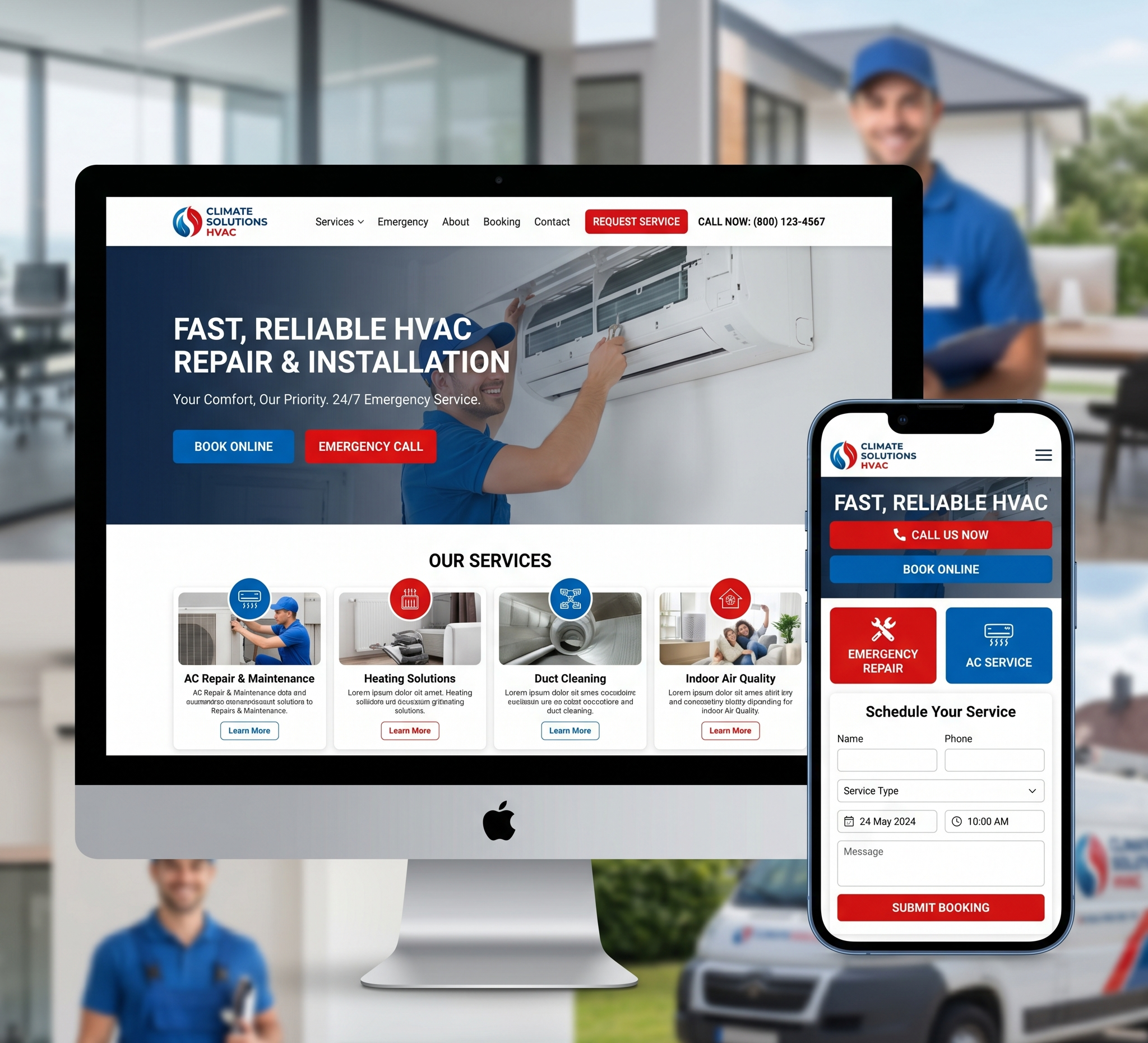

Custom CMS Web Design Strategy – In today’s digital landscape, having a strong online presence is essential for businesses to thrive. A well-designed website is a cornerstone of this presence, serving as the virtual storefront for companies of all sizes and industries. Content Management Systems (CMS) play a crucial role in website development, allowing businesses to create, manage, and modify digital content efficiently. While there are many CMS platforms available, opting for a custom CMS solution tailored to your specific needs can offer numerous benefits in terms of flexibility, scalability, and functionality.
Crafting an Effective Custom CMS Web Design Strategy: A Comprehensive Guide
In this comprehensive guide, we will delve into the intricacies of developing a custom CMS web design strategy. From understanding the importance of customization to implementing best practices for design and development, we will cover everything you need to know to create a bespoke CMS solution that aligns with your business objectives and enhances the user experience.
A. Understanding the Importance of Custom CMS Web Design
Defining Custom CMS:
- A custom CMS refers to a content management system that is tailored to meet the unique requirements of a particular business or organization. Unlike off-the-shelf CMS platforms like WordPress or Joomla, custom CMS solutions offer greater flexibility and control over website functionality and design elements.
Benefits of Custom CMS: Custom CMS solutions provide several advantages, including:
Tailored Functionality:
- Custom CMS allows businesses to incorporate specific features and functionalities that are essential for their operations.
Enhanced Scalability:
- Custom CMS solutions can scale with the growth of your business, accommodating increased traffic and content without compromising performance.
Improved Security:
- Custom CMS solutions offer enhanced security measures, reducing the risk of vulnerabilities associated with third-party plugins and themes.
Unique Brand Identity:
- With a custom CMS, businesses can create a unique online presence that reflects their brand identity and values.
Target Audience Analysis:
- Before embarking on the development of a custom CMS, it is essential to conduct a thorough analysis of your target audience. Understanding the demographics, preferences, and behaviors of your audience will inform the design and functionality of your website, ensuring that it resonates with your target market.
B. Planning Your Custom CMS Web Design Strategy
Define Objectives and Goals:
- Begin by outlining the objectives and goals you aim to achieve with your custom CMS website. Whether it’s increasing online visibility, driving lead generation, or improving user engagement, clearly defining your goals will guide the design and development process.
Conduct Competitor Analysis:
- Analyze the websites of your competitors to identify strengths, weaknesses, and opportunities for differentiation. By understanding the competitive landscape, you can incorporate unique features and functionalities into your custom CMS website to set yourself apart from the competition.
Create User Personas:
- Develop detailed user personas representing different segments of your target audience. Consider factors such as demographics, preferences, pain points, and goals to ensure that your custom CMS website caters to the diverse needs of your users.
Information Architecture:
- Design a logical and intuitive information architecture for your custom CMS website, organizing content in a hierarchical structure that facilitates easy navigation and accessibility. Consider the user journey and ensure that essential information is readily available and easy to find.
Wireframing and Prototyping:
- Utilize wireframing and prototyping tools to create visual representations of your custom CMS website’s layout, structure, and functionality. This iterative process allows you to refine your design concepts and gather feedback from stakeholders before proceeding to the development phase.
C. Designing Your Custom CMS Website
Responsive Design:
- With the increasing prevalence of mobile devices, responsive design is crucial for ensuring optimal user experience across all screen sizes and devices. Implement fluid layouts, flexible images, and media queries to create a seamless browsing experience for your users.
Visual Branding:
- Incorporate your brand’s visual identity elements, such as logos, color schemes, and typography, consistently throughout your custom CMS website. Consistent branding reinforces brand recognition and fosters trust and credibility with your audience.
User-Centric Design:
- Prioritize user experience (UX) in your custom CMS web design, focusing on usability, accessibility, and intuitive navigation. Conduct usability testing to identify pain points and areas for improvement, ensuring that your website meets the needs and expectations of your users.
Accessibility Compliance:
- Ensure that your custom CMS website complies with accessibility standards, such as the Web Content Accessibility Guidelines (WCAG), to accommodate users with disabilities. Implement features such as alternative text for images, keyboard navigation, and screen reader compatibility to make your website accessible to all users.
Performance Optimization:
- Optimize the performance of your custom CMS website by minimizing page load times, reducing server response times, and optimizing image and code assets. Implement caching mechanisms, content delivery networks (CDNs), and code minification to enhance speed and responsiveness.
D. Developing Your Custom CMS Website
Choose the Right Technology Stack:
- Selecting the appropriate technology stack is crucial for the development of your custom CMS website. Consider factors such as scalability, security, ease of maintenance, and compatibility with your existing infrastructure when choosing programming languages, frameworks, and databases.
Modular Development Approach:
- Adopt a modular development approach when building your custom CMS website, breaking down complex functionalities into smaller, reusable components. This approach facilitates code reusability, maintainability, and scalability, allowing for easier updates and enhancements in the future.
Security Best Practices:
- Implement robust security measures to protect your custom CMS website from potential threats and vulnerabilities. Utilize encryption protocols, secure authentication mechanisms, and regular security audits to safeguard sensitive data and mitigate security risks.
Content Management Functionality:
- Develop intuitive and user-friendly content management functionality within your custom CMS, allowing administrators to create, edit, and publish content with ease. Incorporate features such as WYSIWYG editors, version control, and granular permissions to streamline content management workflows.
Integration with Third-Party Services:
- Integrate your custom CMS website with third-party services and APIs to extend its functionality and capabilities. Whether it’s payment gateways, social media platforms, or analytics tools, seamless integration with external services enhances the user experience and enables advanced features.
E. Testing and Quality Assurance
Comprehensive Testing Strategy:
- Implement a comprehensive testing strategy to identify and address any issues or bugs in your custom CMS website. Conduct functional testing, usability testing, compatibility testing, and performance testing across various devices and browsers to ensure a seamless user experience.
User Acceptance Testing (UAT):
- Involve stakeholders and end-users in the UAT process to gather feedback and validate the functionality and usability of your custom CMS website. Address any feedback or concerns raised during UAT to ensure that your website meets the expectations of its intended audience.
Continuous Monitoring and Maintenance:
- Establish a process for continuous monitoring and maintenance of your custom CMS website to address any issues or updates promptly. Regularly monitor performance metrics, security vulnerabilities, and user feedback to identify areas for improvement and optimization.
F. Deployment and Launch
Deployment Strategy:
- Develop a deployment strategy to ensure a smooth and seamless transition from development to production environment. Implement version control, automated deployment pipelines, and rollback procedures to minimize downtime and mitigate risks during deployment.
Launch Plan:
- Plan and execute a comprehensive launch plan to promote your custom CMS website and drive traffic to it effectively. Utilize marketing channels such as social media, email newsletters, and search engine optimization (SEO) to generate awareness and attract visitors to your website.
Post-Launch Optimization:
- Monitor user behavior, performance metrics, and conversion rates post-launch to identify areas for optimization and refinement. Conduct A/B testing, user surveys, and analytics analysis to continuously improve the user experience and achieve your business objectives.
Conclusion: Custom CMS Web Design Strategy
Developing a custom CMS web design strategy requires careful planning, meticulous execution, and ongoing optimization. By understanding the importance of customization, planning effectively, and implementing best practices for design and development, you can create a bespoke CMS solution that elevates your online presence, engages your audience, and drives business growth. Invest in crafting a custom CMS website that reflects your brand identity, meets the needs of your users, and sets you apart from the competition in today’s competitive digital landscape.